10
English
Easy-launch buttons
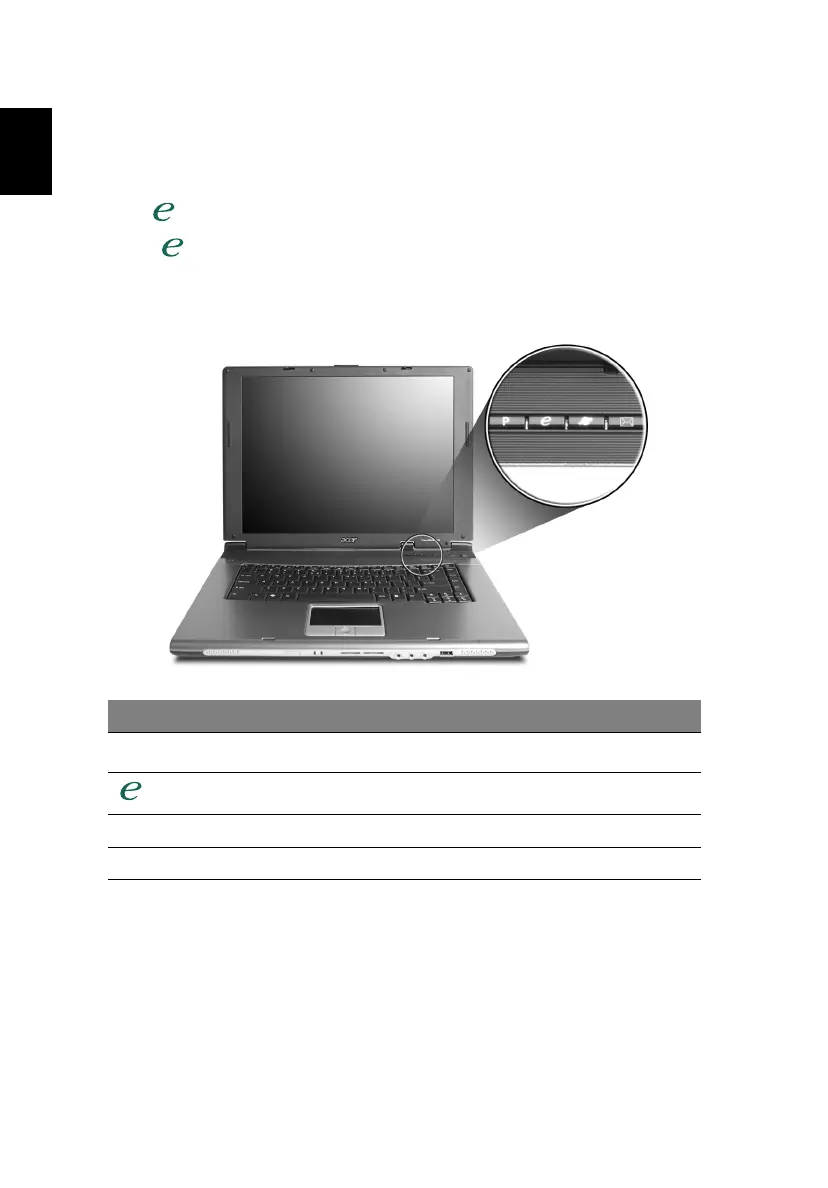
Located at the upper-right, above the keyboard are four buttons. These buttons
are called easy-launch buttons. They are: mail, Web browser, Acer Empowering
Key < > and one user-programmable button.
Press < > to run the Acer eManager. Please see "Acer eManager" on page
19. The mail and Web browser buttons are pre-set to email and Internet
programs, but can be reset by users. To set the Web browser, mail and
programmable buttons, run the Acer Launch Manager. See "Launch Manager"
on page 21.
Easy-launch button Default application
P
User-programmable
Acer eManager (user-programmable)
Web browser Internet browser (user-programmable)
Mail Email application (user-programmable)





 To Next Page