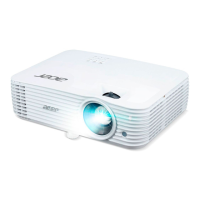
Acer Projector User's Guide
Series Zoom Ratio Acer Projector
SVGA/XGA
series
Zoom Ratio:
1.1x
X128H/X128GH/X128/X118H/X118AH/X118/X118GH/X1126AH/X1226AH/X1227i/
X1127i/D616D/D616/D606D/D606B/D606/D506AD/D516AD/D616Di/D606Di/D616D+/
D606D+/EV-X65H/EV-X65/EV-S65H/EV-S65A/EV-S65/EV-S57AH/EV-X57AH/V60Xi/
V60Si/V60X/V60S/V36X/V36XC/V36S/V36SB/V16S/V26AS/V26AX/AX610i/AS610i/
AX610/AS610/AX319/AX319D/AS319/AS319E/AS309/AS600A/AX600A/EV-X57i/
EV-S57i/DX212/DX212G/DX112/DX112C/DX112G/DX125A/DX225A/BS-125i/BS-025i/BS-
112/BS-112E/BS-012/BS-012K/BS-012E/BS-025A/BS-125A/DX225i/DX125i/KX316/
KX316B/KS316/KS316A/KS316B/KS320A/KX320A/KX320i/KS320i/X1223HG/X1286G/
X1123HG/X1186G/X128HP/X118HP/BS-112P/BS-012P/X128HG/X118HG/DNX1723/
DNX1851/DNX1724/DSV1725/DSV1726/DSV1727/DSV1844/DNX1843/DNX1911/
DSV1912/X1128H/DS608/ V65S/ AS620/EV-S77H/BS-027/DX127/KS321/X119H/BS-014/
X1228H/DX608/V65X/ AX620/EV-X77H/BS-127/DX227/KX321/X129H/BS-114/X1128i/
DS608i/V65Si/AS620i/EV-S77i/BS-027i/DX127i/KS321i/X119i/BS-014i/X1228i/DX608i/
V65Xi/AX620i/EV-X77i/BS-127i/DX227i/KX321i/X129i/BS-114i/DSV1852/X1228HPi/
X1231i/X1231Ki/X1128HPi/X1131i/X1131Ki/X1228HP/X1231/X1231K/X1226HK/
X128HK/BS-112K/X1128HP/X1131/X1131K/X1126HK/X118HK/X1128HKi/X1128HK/
X1228HKi/X1228HK/X1227AH
WXGA series Zoom Ratio:
1.1x
X138WH/X138WGH/X1326AWH/X1327Wi/D626D/D526AD/D626Di/D626D+/
EV-W65H/EV-W57AH/V60Wi/V60W/V36W/V26AW/AW610i/AW610/AW319/AW600A/
EV-W57i/DX412/DX425A/BS-325i/BS-312/BS-325A/DX425i/KW316/KW320A/KW320i/
X138WHP/H5386BDi+/BS-312P/DWX1722/DWX1842/DWX1910/X1328WH/DW608/
V65W/AW620/EV-W77H/BS-327/DX427/KW321/X139WH/BS-314/X1328Wi/DW608i/
V65Wi/AW620i/EV-W77i/BS-327i/DX427i/KW321i/X139Wi/BS-314i/DWX1850/
X1328WKi/X1328WHPi/X1331Wi/X1331WKi/X1328WHP/X1331W/X1328WHK/
X1331WK/X1326WHK/X138WHK/BS-312K/X1328WHKi/BS-312PK/BS-112PK
WUXGA
series
Zoom Ratio:
1.1x
X168H/D666D/EV-WU65H/V36U/AU319/DX612/BS-512/KU316/DWU1721/H6521BD/
H6521ABD/E155F/HE-802K/GM512/VH-412/D1P1720
WUXGA
series-1
(Throw ratio
1.54 ~ 1.72
(60"@2m)
Zoom Ratio:
1.3x
X1623H/D860D/EV-WU80H/V50U/AU540/DX620/BS-520/KU330/DWU1729/H6540BD/
E156D/HE-806J/GM532/VH-432/D1P1719
WUXGA
series-2
(Throw ratio
1.54 ~ 1.72
(60"@2.1m))
Zoom Ratio:
1.3x
HV532/D1P1718
1080p series Zoom Ratio:
1.3x
H6545BD/V6520/G550/E146F/V151/HE-805L/HT-810/H6512BD+/HV533/V62B/
TH-432/GM534/V7500+/VH-434/D1P1839/D1P1718/D1P1805
1080p series Zoom Ratio:
1.1x
X1527i/D656Di/V60Fi/AF610i/EV-F57i/BS-425i/DX525i/KF320i/H6541BDi/H6541BDi+/
H6542ABDi/D1P1909/X1528H/DF608/V65F/AF620/EV-F58/BS-427/DX527/KF321/
H6546BD/H6546BD+/H6546ABD/X159H/D1P1915/X1528i/DF608i/V65Fi/AF620i/
EV-F58i/BS-427i/DX527i/KF321i/H6546BDi/H6546BDi+/H6546ABDi/H6542ABDi/M457i/
X1528Ki/H6546BDKi/X1528HPi/X1531i/X1531Ki/X1528K/H6546BDK/X1528HP/X1531/
X1531K/X1528HKi/X1528HK
720p series Zoom Ratio:
1.1x
H5385BDi/H5385BDi+/H5385ABDi/DWX1910/H5386BDi/H5386ABDi/H5386BDKi/
H5386ABDKi
XGA series Zoom Ratio:
1.0x
S1286HN/S1286H/S1288HN/S1288H/T411DT/T411D/T413DT/T413D/XS-X31HG/
XS-X31H/XS-X33HG/XS-X33H/F1286HN/F1286H/F1288HN/F1288H/SE210L/SE210/
SE212L/SE212/DS-110T/DS-110/DS-112T/DS-112/S1286GH/DNX1712/DNX1713/
DNX1810/DNX1811
WXGA series Zoom Ratio:
1.0x
S1386WHN/S1386WH/S1388WHN/S1388WH/T421DT/T421D/T423DT/T423D/
XS-W31HG/XS-W31H/XS-W33HG/XS-W33H/F1386WHN/F1386WH/F1388WHN/
F1388WH/SE410L/SE410/SE412L/SE412/DS-310T/DS-310/DS-312T/DS-312/DWX1711/
DWX1734/DWX1809/DWX1737
1080p series Zoom Ratio:
1.0x
H6518STi/E146Si/HE-802STi/H6517STPi/S1586Hi/GM513S/VH-413S/D1P1914
Questo manuale d’istruzione è fornito da trovaprezzi.it. Scopri tutte le offerte per Acer X1328WHK o



 To Next Page
 General