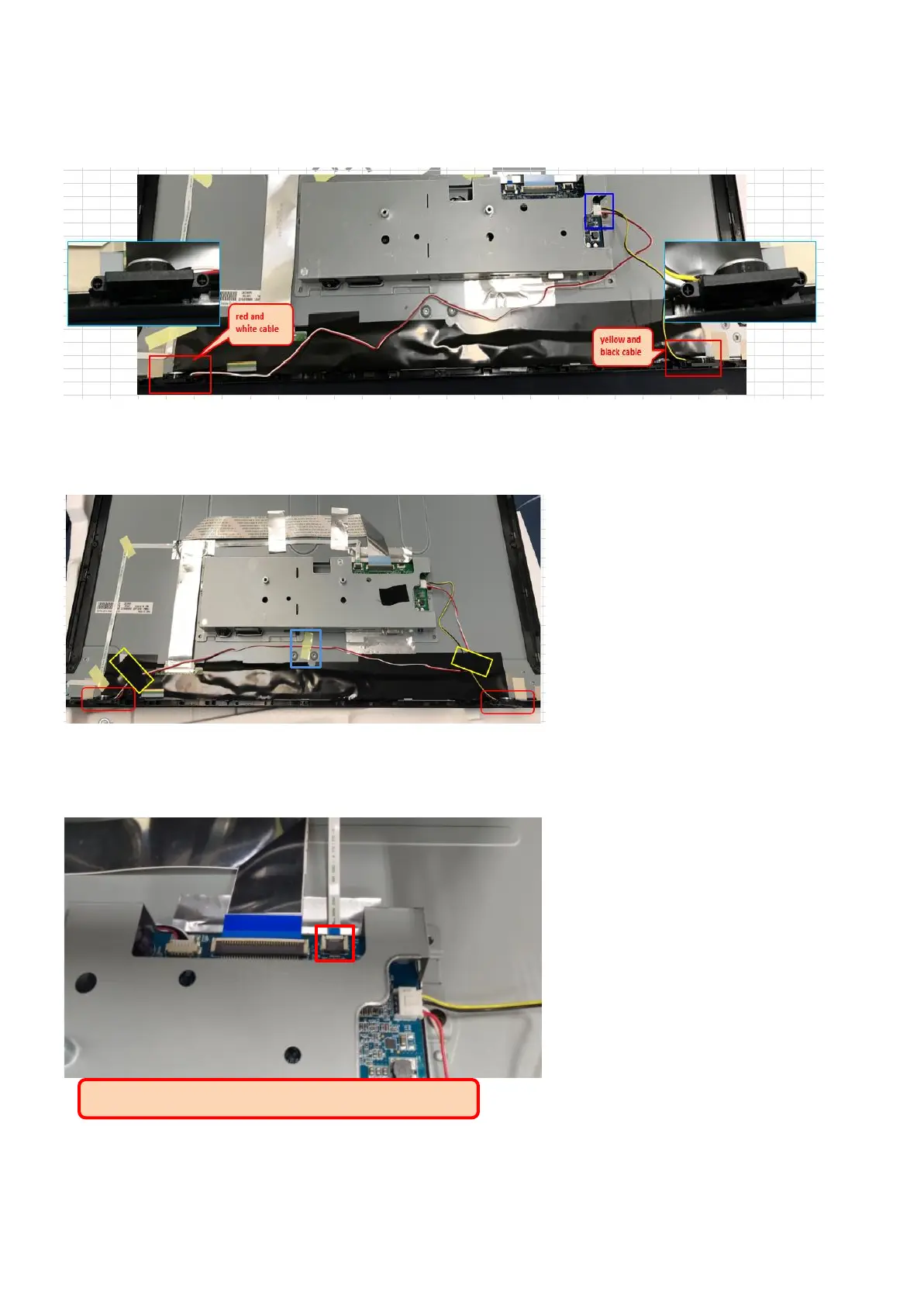
Step10. If with speaker model, assembly speaker on middle frame, and assembly speaker cable on main
board. (red and white cable is on left side, yellow and black is on right side.)
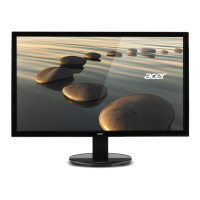
Step11. Tape speaker cable with acetate cloth tape (in yellow circle) and yellow tape (in blue circle).
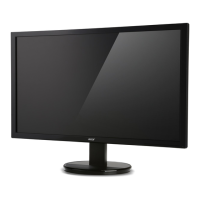
Step12. Insert key board FFC on main board


 To Next Page