EasyManua.ls Logo

Acer KG251Q - User Manual

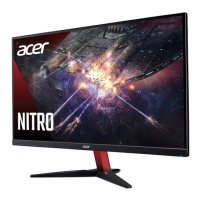
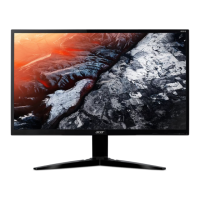
Acer KG251Q
13 pages
Print Icon
To Next Page IconTo Next Page
Loading...
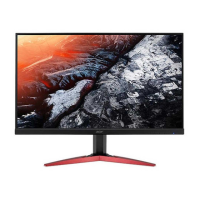
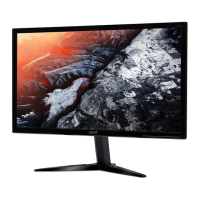
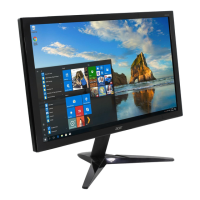
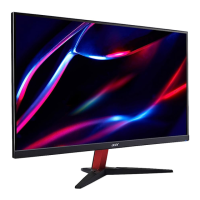
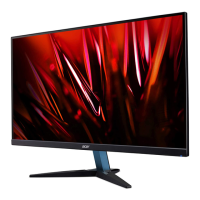
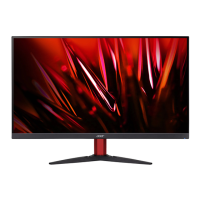
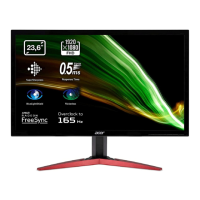
Acer Monitor KG251Q
LIFECYCLE EXTENSION
GUIDE

Questions and Answers

  • A
    Anita TaylorJul 29, 2025
    What to do if my Acer Monitor has no picture?
    • V
      victoria63Jul 29, 2025
      If your Acer monitor displays no picture, there are several things you can check. First, use the OSD to adjust the brightness and contrast to the maximum or reset them to their default settings. Ensure the power switch is on and the AC power cord is properly connected to the monitor. Verify that the video signal cable is securely connected to the back of the monitor. Also, make sure that your computer system is powered on.
  • J
    Jerry SimpsonAug 8, 2025
    Why does my Acer Monitor have an abnormal picture?
    • C
      Charles RogersAug 8, 2025
      An abnormal picture on your Acer monitor might be due to a mismatch between the graphics adapter and monitor specifications, causing an input signal frequency mismatch. To resolve this, check the compatibility of your graphics adapter and monitor specifications. For non-standard signals, use the OSD to adjust the RESOLUTION, CLOCK, CLOCK-PHASE, H-POSITION, and V-POSITION. If the full-screen image is missing, use the OSD to select another resolution or vertical refresh timing. After adjusting the image size, wait a few seconds before changing or disconnecting the signal cable or powering off the monitor.
  • J
    Joshua JohnsonAug 18, 2025
    How to fix abnormal sound on my Acer KG251Q Monitor?
    • J
      Jessica DanielAug 18, 2025
      If you're experiencing abnormal sound on your Acer monitor (audio-input model), first check that the audio cable connecting the monitor to the host PC is properly connected. Also, verify that the volume setting on the host PC is not set to the minimum. If it is, try increasing the volume level.

Summary

Important Safety Notice

Exploded Diagram

Product Exploded Diagram

Diagram showing the components of the Acer KG251Q monitor and their assembly order.

Wiring Connectivity Diagram

Mechanical Instruction

Disassembly and Assembly SOP

Disassembly Procedures

Step-by-step guide on how to disassemble the Acer KG251Q monitor components.

Assembly Procedures

Step-by-step guide on how to reassemble the Acer KG251Q monitor components.

Troubleshooting

FRU List

Acer KG251Q Specifications

General IconGeneral
3DNo
Panel typeTN+Film
Screen shapeFlat
Display diagonal24.5 \
Display technologyLED
Native aspect ratio16:9
Maximum refresh rate75 Hz
Supported video modes1080p
Contrast ratio (dynamic)100000000:1
Contrast ratio (typical)-
Display number of colors16.78 million colors
Display brightness (typical)250 cd/m²
Supported graphics resolutions1920 x 1080 (HD 1080)
Tilt angle range-5 - 15 °
CertificationMPR II
Product colorBlack
RMS rated power4 W
Number of speakers2
Energy efficiency scaleA to G
Power consumption (off)0.3 W
Power consumption (standby)0.5 W
Power consumption (typical)22.6 W
Sustainability certificatesENERGY STAR
Cables includedHDMI, VGA
Weight and Dimensions IconWeight and Dimensions
Width (without stand)- mm
Weight (without stand)- g

Related product manuals