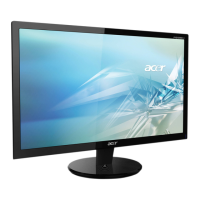
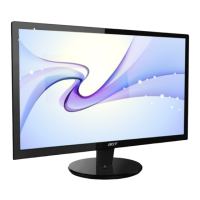
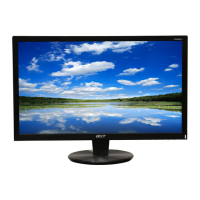
EasyManua.ls Logo

Acer P203W - User Manual

Acer P203W
50 pages
Print Icon
To Next Page IconTo Next Page
Loading...
1
Acer P203W
Service Guide

Questions and Answers

  • J
    Joshua FisherAug 6, 2025
    What to do if OSD is unstable or not working on Acer P203W Monitor?
    • T
      Thomas HawkinsAug 6, 2025
      If the OSD (On-Screen Display) on your Acer Monitor is unstable or not working, try these steps: * Check if the Keypad board is connected normally; if not, connect it. * Verify the Button Switch is functioning correctly; replace it if necessary. * Determine if the Keypad board is working correctly; replace it if needed. If these steps don't resolve the issue, check the main board.
  • B
    Bruce MckinneyAug 19, 2025
    How to troubleshoot Acer P203W panel power circuit issues?
    • J
      jonathan97Aug 19, 2025
      To troubleshoot panel power circuit issues on your Acer Monitor, check the PPWR panel power relative circuit Q301, Q302. Also, check if CN301 PIN1 has the correct voltage. Note whether PPWR responds when the power switch is toggled from on to off. Try turning the power on and off, and consider replacing U202. If all else fails, replace the panel.

Summary

Monitor Features

Introduction

Provides an overview of the monitor's specifications and capabilities.

Electrical Requirements

Details standard test conditions and electrical specifications for monitor performance.

LCD Monitor General Specification

Lists comprehensive specifications for the LCD monitor, including display and power.

LCD Panel Specification

Encompasses detailed specifications of the LCD panel, such as resolution and response time.

Optical Specifications

Covers optical performance metrics like viewing angle, luminance uniformity, and response time.

Support Timing

Lists supported display modes, resolutions, and refresh rates for compatibility.

Monitor Block Diagram

Illustrates the main functional blocks and signal flow within the monitor.

Main Board Diagram

Presents a detailed schematic of the main circuit board's components and connections.

Software Flow Chart

Depicts the logical execution flow of the monitor's internal software.

Main Board Layout

Shows the physical arrangement of components and connectors on the main board.

Installation

Step-by-step guide for connecting the monitor to a computer system.

Attaching;Removing the Base

Instructions for mounting and dismounting the monitor's stand.

Operating Instructions

External Controls

Identifies and explains the monitor's physical buttons and indicators.

Front Panel Controls

Detailed breakdown of each button's function on the monitor's front panel.

eColor Management (OSD)

Explains the on-screen display for managing color profiles and picture settings.

How to Adjust a Setting

Guides users through navigating the OSD menu for system adjustments.

Adjusting the Picture

Details how to fine-tune picture quality settings via the OSD menu.

OSD Message

Explains various on-screen display messages and their meanings during operation.

Logo

Describes the display and disappearance of the Acer logo during startup.

Machine Disassembly

Disassembly Procedure

Provides step-by-step instructions for safely taking apart the monitor for maintenance.

Troubleshooting

No Power

Troubleshooting steps for when the monitor does not power on.

No Picture

Troubleshooting steps for when the monitor displays no image.

Panel Power Circuit

Diagnosing issues related to the monitor's panel power circuit.

Keypad Board

Troubleshooting steps for issues with the monitor's keypad or OSD controls.

No Backlight

Troubleshooting steps for when the monitor screen does not illuminate.

Connector Information

15-Pin Color Display Signal Cable

Details the pinout and function for the standard VGA connector.

24-Pin Color Display Signal Cable

Details the pinout and function for the DVI digital connector.

FRU (Field Replaceable Unit) List

FRU (Field Replaceable Unit) List

Lists parts designated as field-replaceable for service and repair.

Exploded Diagram

Exploded Diagram (Model: P203 W)

Visual representation of monitor components and their assembly order.

Part List

Part List

Displays images and descriptions of individual monitor components.

Schematic Diagram

Main Board Schematic

Detailed electrical schematic of the monitor's primary circuit board.

Scaler Schematic

Electrical diagram for the monitor's image scaling and processing IC.

Power Board Schematic

Electrical diagram of the monitor's power supply unit.

Inverter Schematic

Electrical diagram for the backlight inverter circuit.

Acer P203W Specifications

General IconGeneral
Screen Size20 inches
Resolution1680 x 1050
Aspect Ratio16:10
Brightness300 cd/m²
Contrast Ratio1000:1
Contrast Ratio (Dynamic)2500:1
Response Time5 ms
Viewing Angle (Horizontal)170°
Viewing Angle (Vertical)160°
Panel TypeTN
Color Support16.7 million
Power Consumption (Operational)45 W
Power Consumption (Standby)1 W
ConnectivityVGA, DVI

Related product manuals