Acer S200 Smartphone User Guide10
Getting to know your smartphone
Views
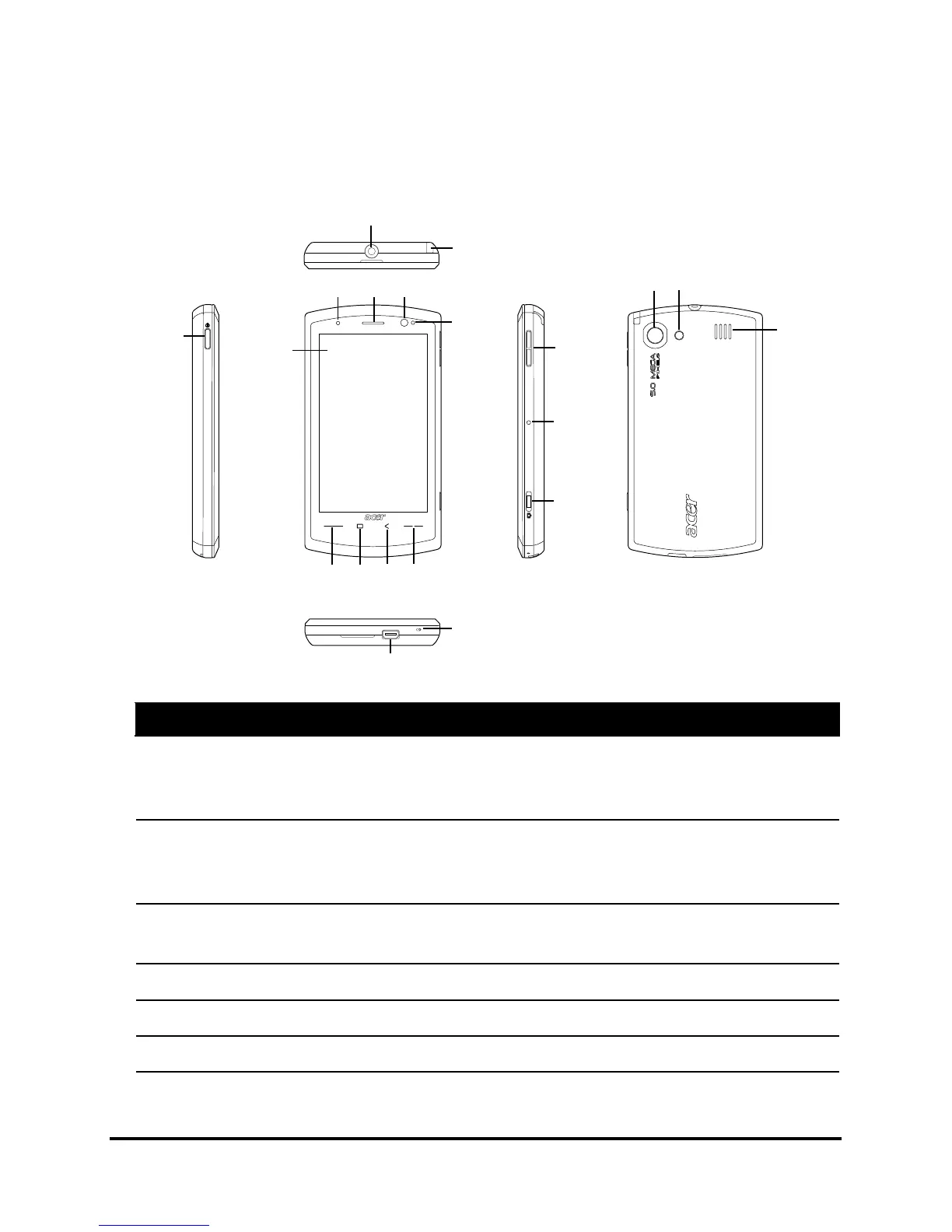
No. Item Description
1 Power button Press to turn the screen on/off or enter
sleep mode; press and hold to turn the
smartphone off.
2 Touchscreen 3.8-inch, 480 x 800 pixel touchscreen to
display data, phone content and enter
information.
3 Call button Activate phone/dial/view recently dialed
numbers/answer a call.
4 Home button Return to the Today screen.
5 Back button Go back one menu step.
6 End button Press to end a call.



 To Next Page