59Multimedia playback
Multimedia playback
Your smartphone comes supplied with a variety of programs
that you can use to enjoy multimedia content.
FM Tuner
FM Tuner allows you to listen to your favorite local radio sta-
tions and save them to an easily-accessible list of favorites.
To start FM Tuner tap Start > Multimedia > FM Tuner.
Note: You will need to connect your headset to enjoy radio
programs.
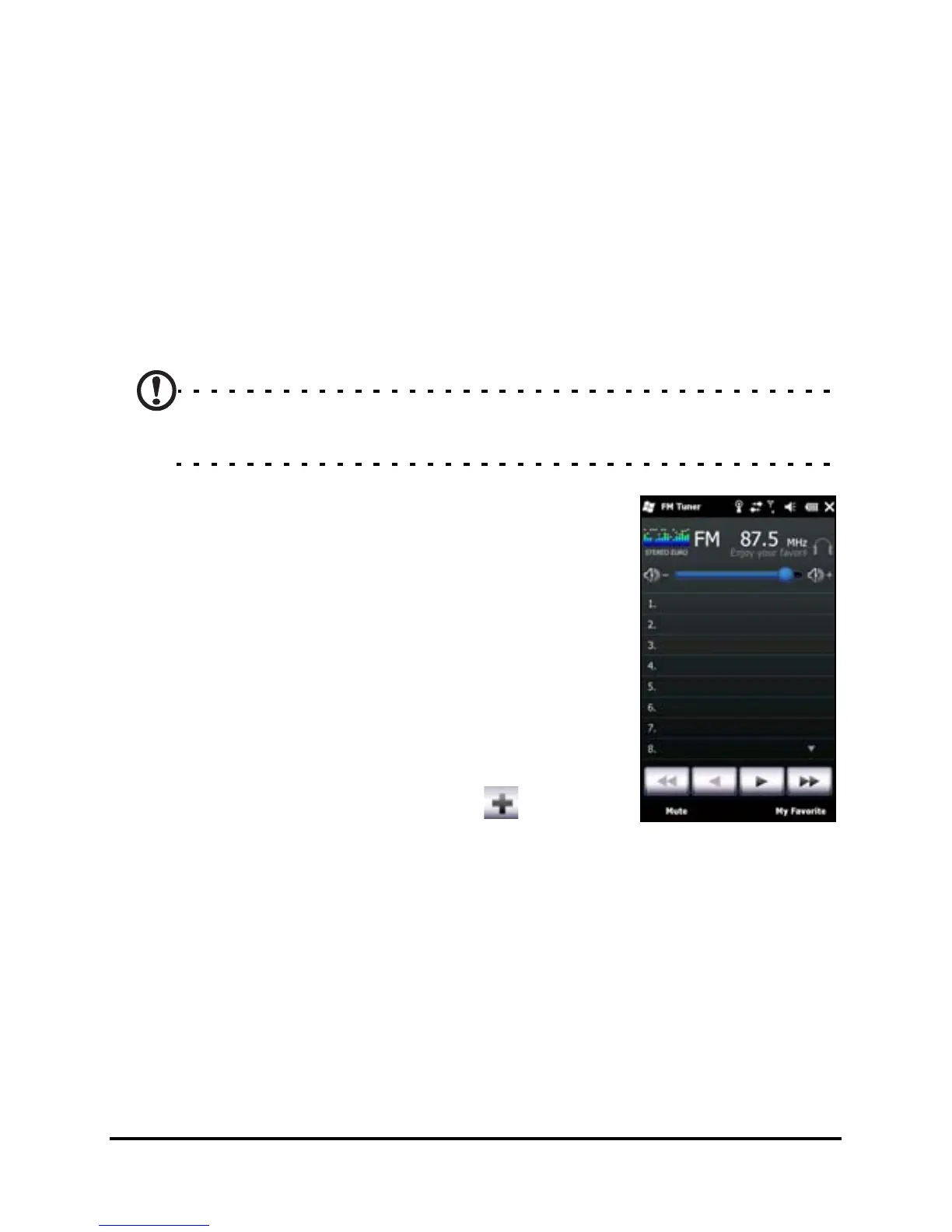
The FM Tuner screen indicates the
frequency the tuner is receiving (1), volume
level (2) and your defined favorites (3).
Tap the frequency display to open a
number pad that allows you to enter a
different frequency.
Tap My Favorite to manage your list of
favorite radio stations. To add a favorite,
select the position in the list that you’d like
to add the favorite at, and tap
to open



 To Next Page