-3-
SOFTWARE CONFIGURATION
4. Modifying the default IP address 192.168.1.253
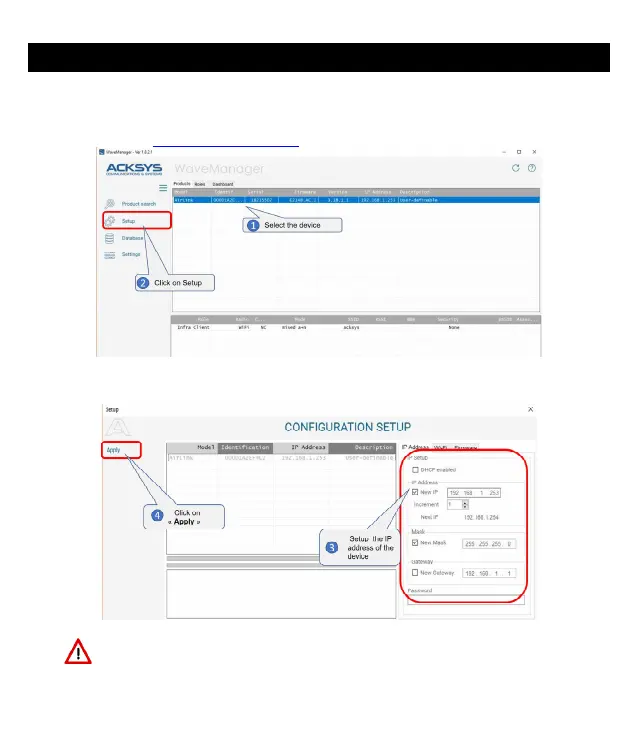
From any PC on the network, run the Windows application WaveManager (found on the
ACKSYS website http://www.acksys.com/)
Select the device and click on « Setup » button.
You can configure the IP address to make it compatible with your network or
activate the DHCP client.
Warning: If you change the IP address of the product also think about
changing the IP address of the network interface of the connected PC


 To Next Page