6
Overview of the main functions
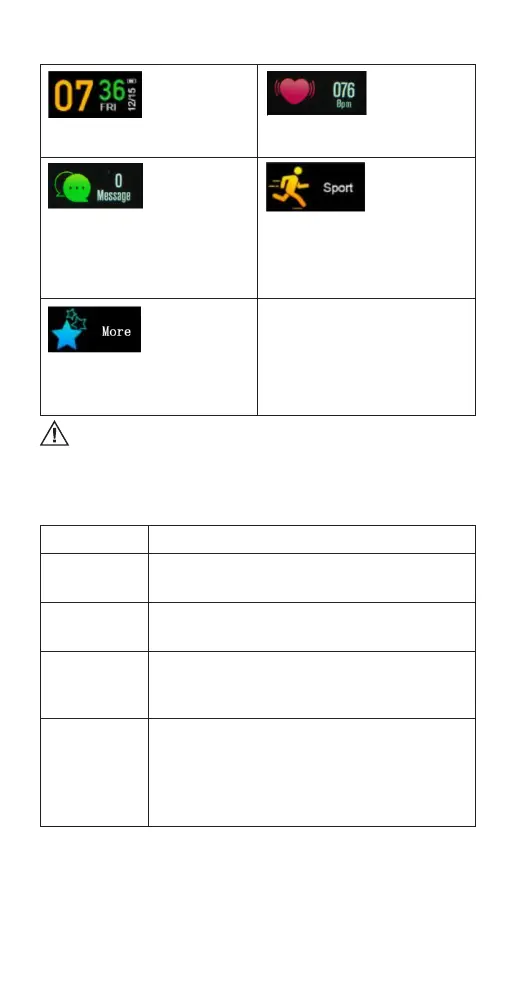
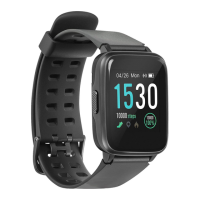
Watch interface:
shows time, date,
Bluetooth status
and weather
information. Long
press the side button or touch zone to
change the type of the interface.
Heart rate: Test
your heart rate
– beats per minute
(BPM) value.
Messages: view
messages received
to your phone.
Enter the messages
mode, short press
the side key or touch zone to switch the
messages and long press to read them.
The type of messages and notications
can be changed on the smartphone
application.
Sport mode:
Select the type of
sports activity and
start tracking your
sports activity
session. Enter the sport mode, short
press the side button or touch zone to
switch activity type and long press to
start tracking. Long press the side
button or touch zone to end activity
tracking.
More options: in
this mode, you can
view the
smartwatch
software
information and turn o the
smartwatch. The nd phone function
will be active, when enabled on the
application.
Other functions of the smartwatch will work only when they are activated on
the OrunningSW application.
Troubleshooting
Li-Ion/Pi-Po batteries exhibit a gradual decrease in performance over their service life, so
reduction in the initial battery capacity is not an indication of a faulty battery or device.
PROBLEMS SOLUTIONS
The smartwatch
shuts down
automatically
• Thebatterymightbeempty.
The smartwatch
cannot be
turned on
• Pressthepowerbuttonforalongertime.
• Rechargethesmartwatchandtrytostartitagain.
Short battery
performance
• Makesurethebatteryhasbeencompletelycharged(atleast
for two hours).
• Turn o the needless functions which are causing high
power consumption.
Connectivity
problems
• To ensure the proper operation of some smartwatch
functions, OrunningSW app must be started and working
in the background mode of your smartphone operating
system. Do no not disable Bluetooth connection and do not
close the app in the background applications list.
• Restartthesmartwatch/smartphone.
• Distancebetweenthedevicesistoolong,getthemcloser.


 To Next Page