8
Camera modes overview
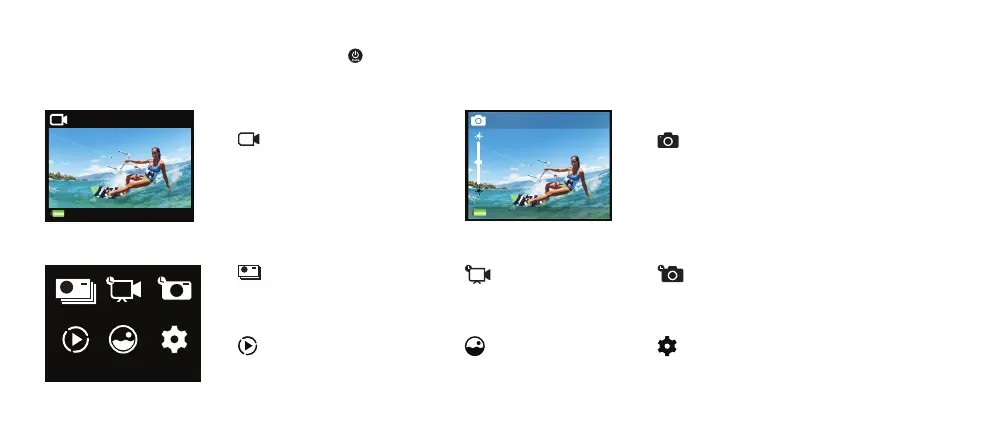
Turn the camera on and repeatedly press the power/mode button or swipe the display to the right to cycle through camera modes.
The following modes can be accessed from the main screen:
00:00:00 | 01:20:20
720p 200
Video
Video mode
Record a video.
0000 | 9999
12MP
Photo
Photo mode
Capture a single photo.
The following modes can be accessed from the other modes screen:
Burst TL Video TL Photo
Video Photo Settings
Burst
Capture several photos in quick succession
by pressing the shutter/select button .
TL Video
Record a time lapse video.
TL Photo
Capture a series of photos at set time intervals.
Video playback
Playback recorded videos.
Photo playback
Playback recorded videos.
Settings
Adjust various settings of the camera.



 To Next Page