You can import the lightburn software in the accessory USB flash drive into the
computer or log in directly https://lightburnsoftware.com/ Download the soft-
ware. The trial period of this software is 30 days. You need to pay for subsequent
use,support Windows, Mac system
您可以将附件USB闪存驱动器中的lightburn软件导入计算机或直接登录https://lightburn-
software.com/下载软件。该软件的试用期为30天。后续使用需要付费。支持Windows、
Mac系统
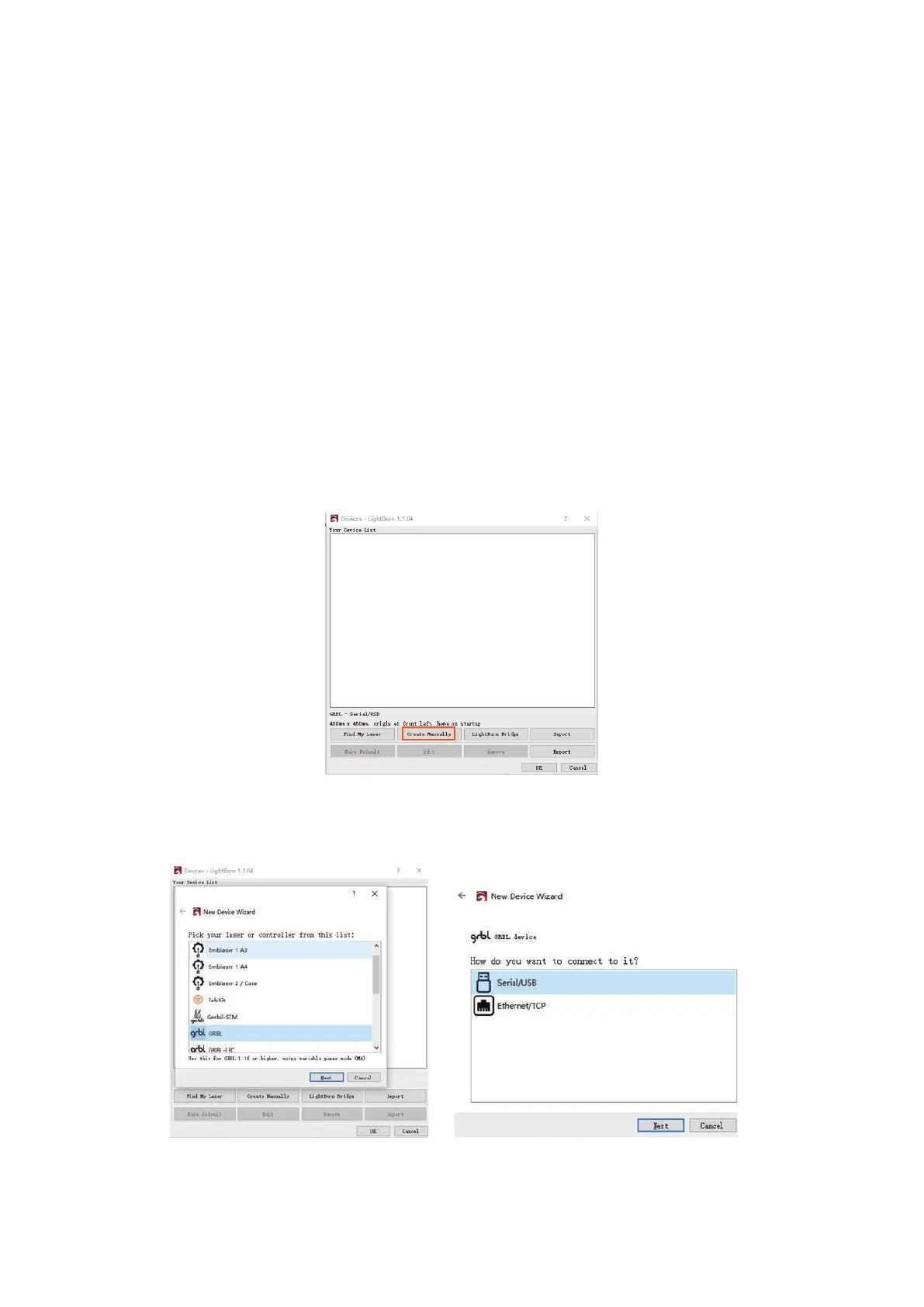
After opening the software, you will be prompted to add laser equipment and
select manual addition
打开软件后,系统将提示您添加激光设备并选择手动添加
2. Software settings
软件设置
2.1Lightburn setting
Create manually, select GRBL and create a usable area for your equipment,Select
USB connection for connection mode
手动创建,选择GRBL,并为设备创建可用区域,连接方式选择USB连接
15



 To Next Page