Wired connectivity
• Analogue audio input - Stereo phono
sockets or 3.5mm stereo jack allow a
connection to
an
external analogue audio
source such as a
CD
player
• Optical digital input - Allows connection
to an external digital audio source such as
a
TV
• Speaker output - Stereo 4mm sockets,
allowing connection from the amplified
speaker
to
the passive speaker
• USB - A USB type B socket, allowing
connection to a computer device
• Sub Out - A Phono subwoofer output for
connection to an external subwoofer.
Wireless connectivity
• Bluetooth®
HD
-
An
international wireless
connection used for streaming audio from
all compatible devices.
•
AVRCP
- A Bluetooth control protocol
that synchronises your device control · of
Volume and Mute for easy integration of
our Q Acoustics speaker.
Fitting
or
replacing batteries
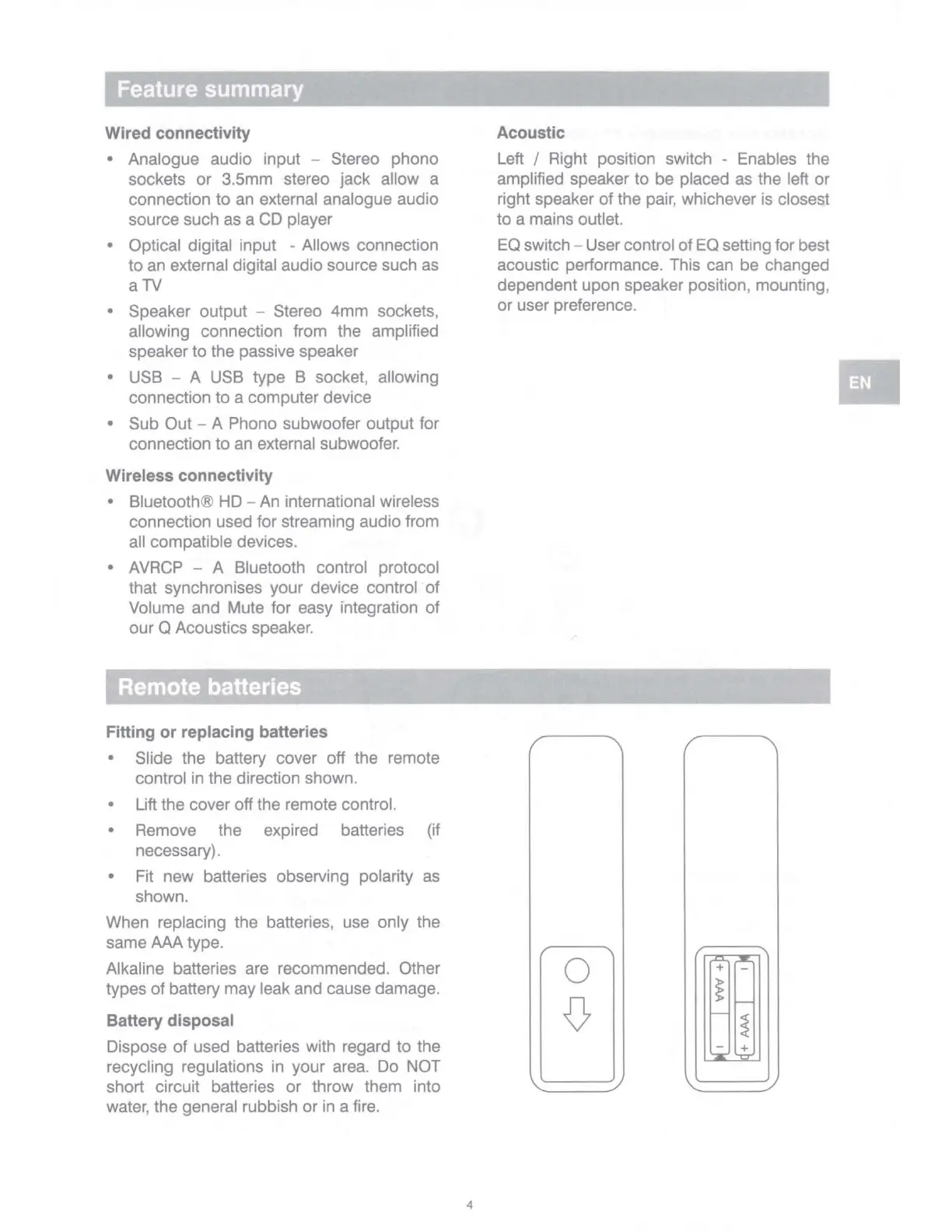
• Slide the battery cover off the remote
control
in
the direction shown.
• Lift the cover off the remote control.
• Remove the expired batteries (if
necessary).
• Fit new batteries observing polarity as
shown.
When replacing the batteries, use only the
same
AAA
type.
Alkaline batteries are recommended. Other
types of battery may leak and cause damage.
Battery disposal
Dispose of used batteries with regard to the
recycling regulations
in
your area. Do NOT
short circuit batteries or throw them into
water, the general rubbish or
in
a fire.
4
Acoustic
Left / Right position switch - Enables the
amplified speaker to be placed as the left or
right speaker
of
the pair, whichever
is
closest
to
a mains outlet.
EQ
switch - User control
of
EO
setting for best
acoustic performance. This
can
be changed
dependent upon speaker position, mounting,
or user preference.
0
V
+ -
•



 To Next Page