28
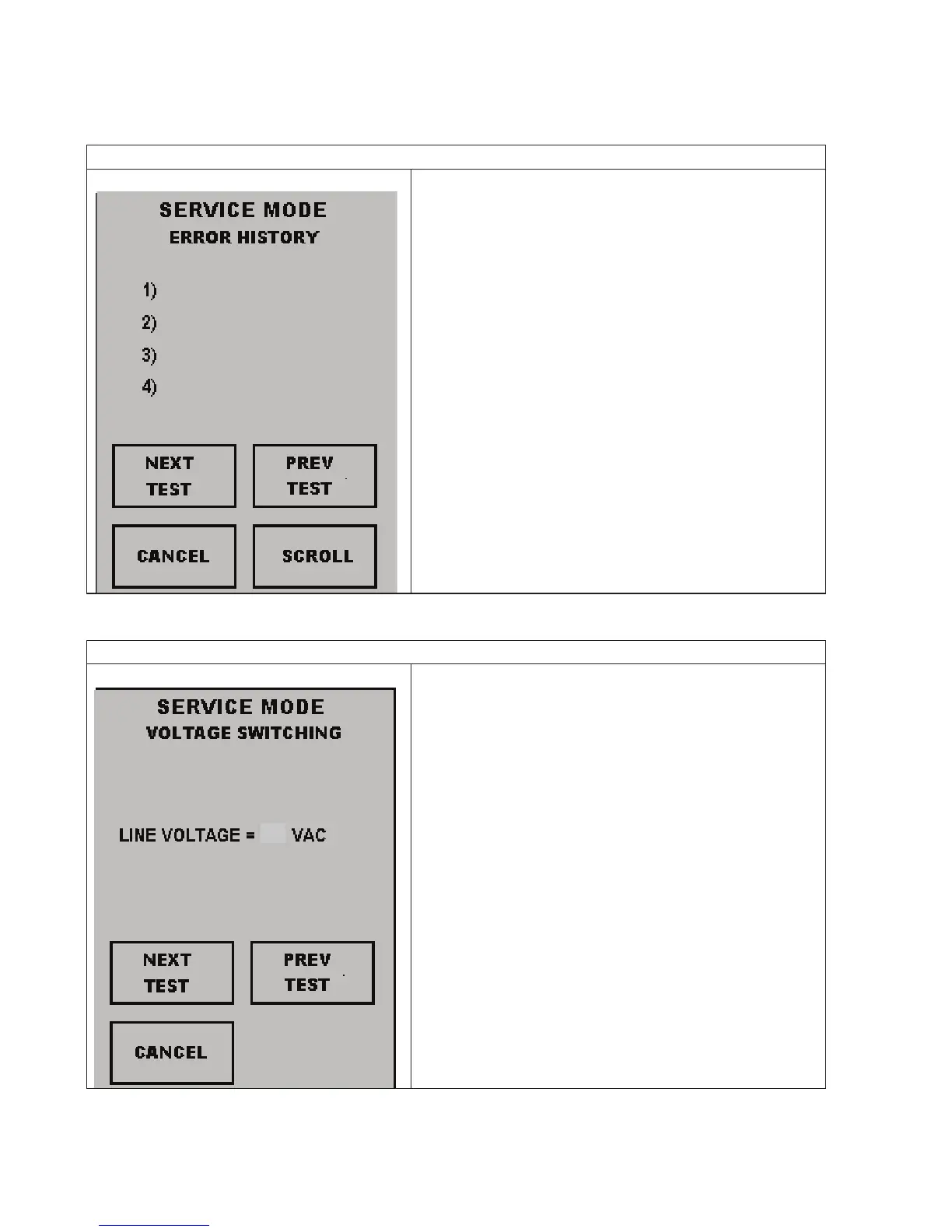
Error History
Screen This screen will show the previous error
codes that have occurred in the oven.
NEXT TEST: Press this pad to go to the
next Service Mode Test
PREV TEST: Press this pad to go to the
previous Service Mode Test
SCROLL: This pad will advance through
the history of the error codes. (1-10)
CANCEL: Press this pad to return to the
Main Menu
Voltage Switching
Screen This screen will show the line voltage
detected by the oven.
NEXT TEST: Press this pad to go to the
next Service Mode Test
PREV TEST: Press this pad to go to the
previous Service Mode Test
CANCEL: Press this pad to return to the
Main Menu
Note: To clear codes: Press and hold Pad 1
until Code(s) disappear.
G2
C0
H1
B0
14
15
208
Service Test



 To Next Page