Service Test Mode
To avoid risk of electrical shock, personal injury or death; disconnect power to oven and discharge capacitor
before servicing, unless testing requires power.
October 2014 16500055
©2014 ACP, Inc.
TO ACCESS SERVICE TEST MODE:
1) Open and close the door.
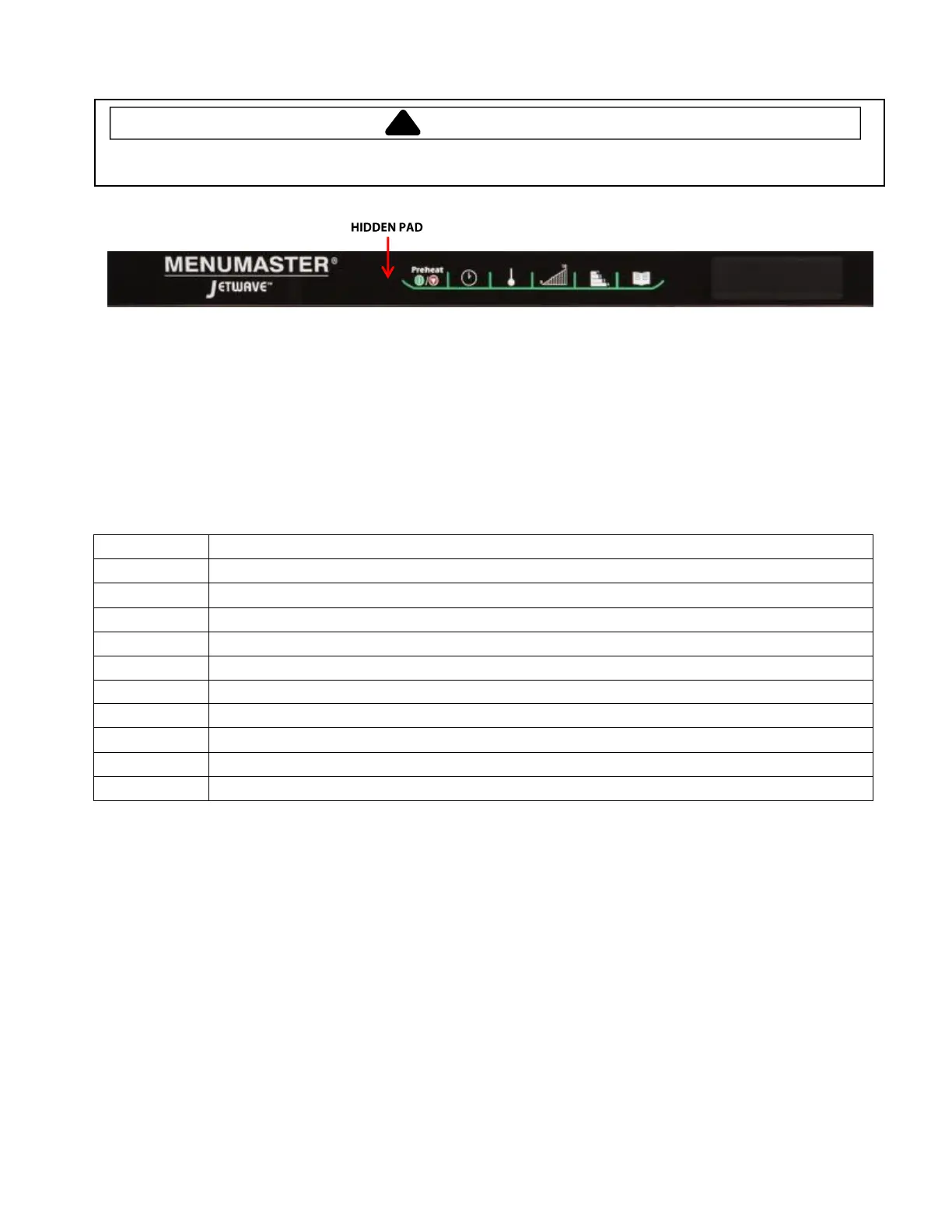
2) Press and release the Hidden Test Pad, then press 1, 3, 5, 7, & 9 (note: there will be no keypad beep or
change in the display).
3) Display will show “Service Mode”, hz and amount of voltage applied to unit.
TO EXIT SERVICE MODE Press Preheat Stop/Off Pad twice
Heater On/Off (NOTE: Amperage will be less than one)
Magnetron On/Off (Amperage = 12amps approx.)
Convection Fan Motor On/Off (Note: Amperage will be less than one)
Cooling Fan On/Off (Blower Motor)
Door Cycles (Number of door openings)
While in this mode, pressing START will reset Magnetron Hours and Door Cycles to 0
Temperature Offset. Pressing 0 will change. +40 to -40 degree range
208/230/Automatic Voltage Switching
Displays current oven cavity temperature as sensed by RTD


 To Next Page