EasyManua.ls Logo

ACR Electronics AIS - User Manual

ACR Electronics AIS
87 pages
Print Icon
To Next Page IconTo Next Page
Loading...

Table of Contents

Questions and Answers

  • P
    pgomezAug 18, 2025
    What to do if my ACR Electronics GPS says 'AIS: External EPFS lost'?
    • K
      Krystal WilsonAug 18, 2025
      If your ACR Electronics GPS displays the message 'AIS: External EPFS lost', it means no valid data is available on Ch1, Ch2, or Ch3. Check the sensor and its cabling to ensure they are properly connected. Verify that the system delivering the data is working correctly. Also, check the baud rate settings of the sensor inputs. Note that AIS requires the protocol NMEA 0183 V3.0!
  • E
    Elizabeth StevensonAug 20, 2025
    What causes 'AIS: No valid SOG information' on my ACR Electronics GPS and how can I fix it?
    • A
      Andrea HansonAug 20, 2025
      The 'AIS: No valid SOG information' error on your ACR Electronics GPS indicates that there is no valid data from the external speed sensor or internal GPS. To resolve this, check the sensor and its cabling. Ensure the system delivering the data is working correctly. Verify the baud rate settings of the sensor inputs, as AIS requires the protocol NMEA 0183 V3.0!
  • J
    Jessica SmithAug 22, 2025
    What does 'AIS: No valid COG Information' mean on my ACR Electronics GPS?
    • C
      Caitlin ConwayAug 22, 2025
      The 'AIS: No valid COG Information' message on your ACR Electronics GPS means that there is no valid data from the external sensor or internal GPS. To fix this, check the sensor and the cabling, and make sure the system that delivers the data is working. Also, check the baud rate settings of the sensor inputs, ensuring they are correct, as AIS requires the protocol NMEA 0183 V3.0!
  • T
    tbaileyAug 25, 2025
    What does 'AIS: Heading lost/invalid' mean on my ACR Electronics GPS?
    • S
      Sara AndrewsAug 26, 2025
      If your ACR Electronics GPS displays 'AIS: Heading lost/invalid', it means there's no valid data from the external sensor (Gyrocompass). Check the sensor and the cabling, and ensure the system delivering the data is working correctly. Verify the baud rate settings of the sensor inputs. Keep in mind that AIS accepts true heading only (no magnetic).
  • S
    Steven OwenAug 28, 2025
    What does 'AIS: PRESS ENTER TO EXIT 1W/AUTO TX MODE' mean on my ACR Electronics GPS?
    • L
      Lisa WallaceAug 28, 2025
      The message 'AIS: PRESS ENTER TO EXIT 1W/AUTO TX MODE' on your ACR Electronics GPS indicates that the conditions for enabling 1 Watt TX power are not valid. Check the conditions (SOG, Navstat, Shiptype) and ensure the GPS is providing valid data, as an invalid GPS signal can also trigger this alarm.
  • C
    Christine BrownAug 30, 2025
    Why does my ACR Electronics GPS say 'AIS: Antenna VSWR exceeds limit'?
    • F
      felicia23Aug 30, 2025
      The 'AIS: Antenna VSWR exceeds limit' message on your ACR Electronics GPS indicates an issue with the VHF antenna or its installation. Check the antenna itself and the antenna cabling, ensuring that RG214 / 50 Ohm cable is used.
  • E
    Eric TurnerSep 1, 2025
    What to do if my ACR Electronics GPS displays 'AIS: No sensor position in use'?
    • A
      Angela JohnsonSep 1, 2025
      If your ACR Electronics GPS shows 'AIS: No sensor position in use', it means there is no valid position data from the internal GPS or an external position sensor. Check the sensor cabling and the antenna of the internal GPS sensor.
  • M
    mitchell35Sep 4, 2025
    What does 'AIS: No valid ROT Information' mean on my ACR Electronics GPS?
    • M
      melissacruzSep 4, 2025
      The message 'AIS: No valid ROT Information' on your ACR Electronics GPS means that either no Rate Of Turn indicator is in use, or there is no valid data from the external sensor. If a Rate Of Turn indicator is not in use, acknowledge the alarm. Otherwise, check the sensor and cabling, ensuring the system delivering the data is working correctly, and verify the baud rate settings of the sensor inputs, noting that AIS requires the protocol NMEA 0183 V3.0!
  • D
    David MunozSep 6, 2025
    How to fix 'AIS: Tx malfunction' on ACR Electronics GPS?
    • D
      Danielle CallahanSep 6, 2025
      To address the 'AIS: Tx malfunction' error on your ACR Electronics GPS, check if the antenna is AIS compatible (156-162 MHz). Also, inspect the antenna cabling for any short circuits or missing contacts at the connectors. If the ID 01 is displayed as a stand alone message, then the unit requires replacing.
  • E
    Emily ScottSep 9, 2025
    What does 'AIS: ENTER MMSI NUMBER' mean on my ACR Electronics GPS and how to fix it?
    • A
      Aaron ShermanSep 9, 2025
      The message 'AIS: ENTER MMSI NUMBER' on your ACR Electronics GPS means that no valid MMSI has been entered. Enter a valid MMSI to resolve this issue.

Summary

3 Installation

3.1 Installation Requirements

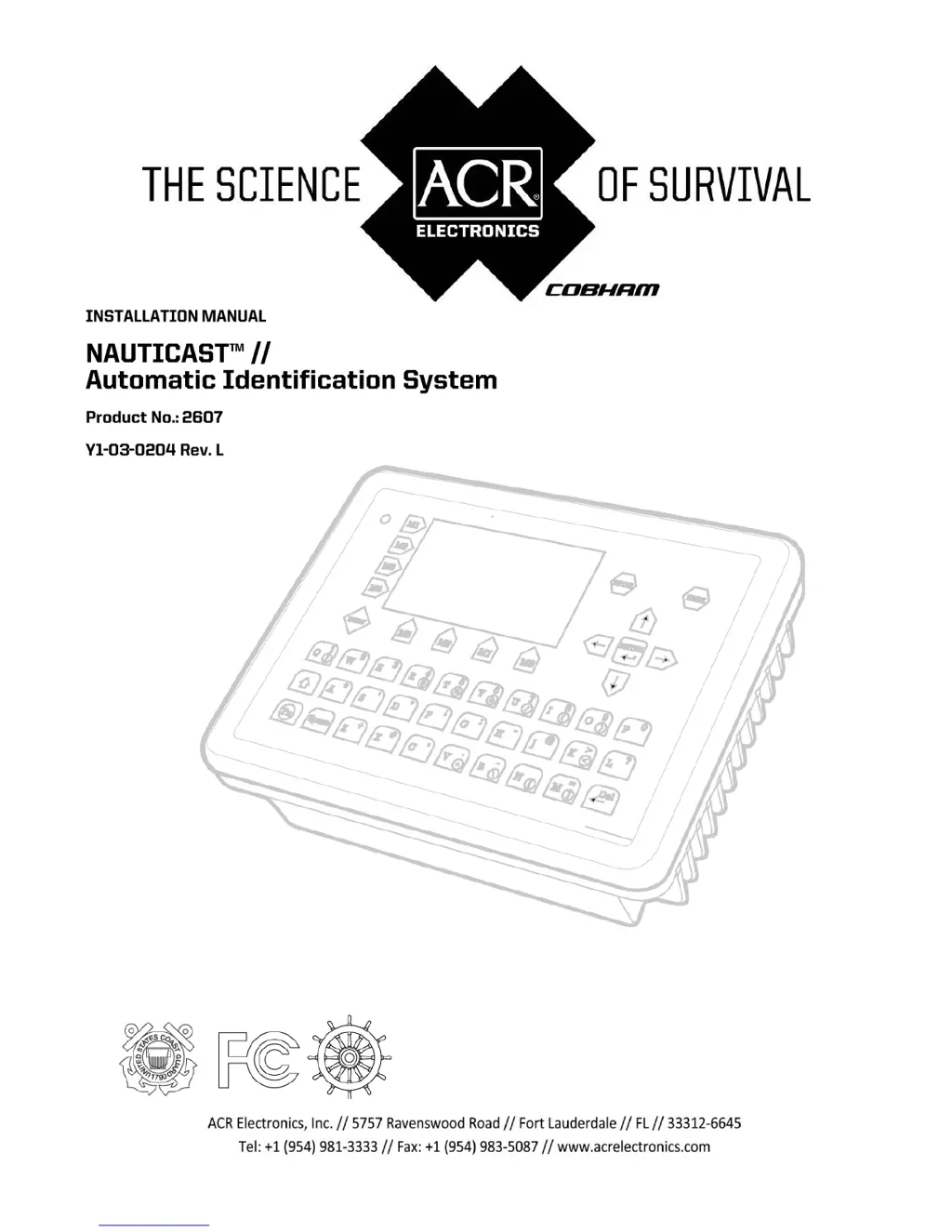
Outlines general requirements and points to observe before installing the NAUTICAST™.

3.2 Installation Overview

Provides a step-by-step procedure for the installation process of the NAUTICAST™.

3.5 Sensor Interface Definitions

Explains the technical specifications for sensor interfaces like talker drive circuits.

3.7 Sensor Hardware Installation:

Describes the hardware installation process for RS422 serial interfaces.

3.8 Sensor Software Configuration

Guides through the sensor software configuration options and setup.

3.11 Installation of VHF; GPS Antennas

Covers the installation procedures and considerations for VHF and GPS antennas.

4 Starting the NAUTICAST

4.1 Entering the MMSI and IMO Numbers:

Instructions for entering essential MMSI and IMO numbers during initial setup.

5 Troubleshooting

7 Technical Information

ACR Electronics AIS Specifications

General IconGeneral
BrandACR Electronics
ModelAIS
CategoryGPS
LanguageEnglish

Related product manuals