Y1-03-0138R 5
NOTE: The Searchlight should be left uncovered if the XRCiZ feature
is enabled.
SECTION 4 - REMOTE CONTROL SYSTEM
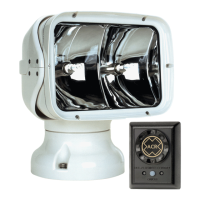
The Remote Control System consists of the URC-102 Master
Controller and the URP-102 Point Pad™. This system is compatible
with 12 VDC and 24 VDC systems without modification. The Remote
Control System may be used with 12 V or 24 V Searchlights, ONLY
THE LAMPS IN THE LIGHT HEAD ASSEMBLY MUST BE
CHANGED TO MATCH THE VOLTAGE RATING.
SECTION 5 - URP-102 POINT PAD™
Case Options
The URP-102 Point Pad™ is supplied as a surface mount unit (see
Figure 4). A flush mount option is provided (see Figure 5). To switch
mounting options, unscrew the six (6) screws on the unit’s back plate
and remove the front cover. Fit the Point Pad™ with the flush mount
cover, replace the back plate, and screw the unit back together.
Mounting
Both the surface mount and flush mount options require access to the
backside of the mounting location. Make sure there are no
obstructions behind the area where the switch is to be located (e.g.
bulkheads, wires, plumbing, or hardware). Check in advance that the
coax cable from the Master Controller can be routed to this location.
Generally, the Point Pad™ should be mounted in a protected area.
Install the surface mount Point Pad™ by drilling 3 holes in the
dashboard location using the Point Pad™ Surface Mount Template
supplied in the Mounting Templates. Mount the Point Pad™ to the
dashboard using the gasket, washers, and nuts supplied. Use a
sealant around the bolt holes to protect from moisture intrusion.
When the flush mount option is selected, cut a rectangular hole in the
dashboard location using the Point Pad™ Flush Mount Template
supplied in the Mounting Templates. Use the gasket, washers, nuts,
and the two U-Clamps provided to secure the Point Pad™. Use a
sealant around the cut out to protect from moisture intrusion.
Connecting to the Master Controller
The Point Pad™ communicates with the Master Controller via
standard television type RG-59 coaxial cable. The connectors are


 To Next Page