EasyManua.ls Logo

ACT DTNVS - User Manual

ACT DTNVS
43 pages
Print Icon
To Next Page IconTo Next Page
Loading...
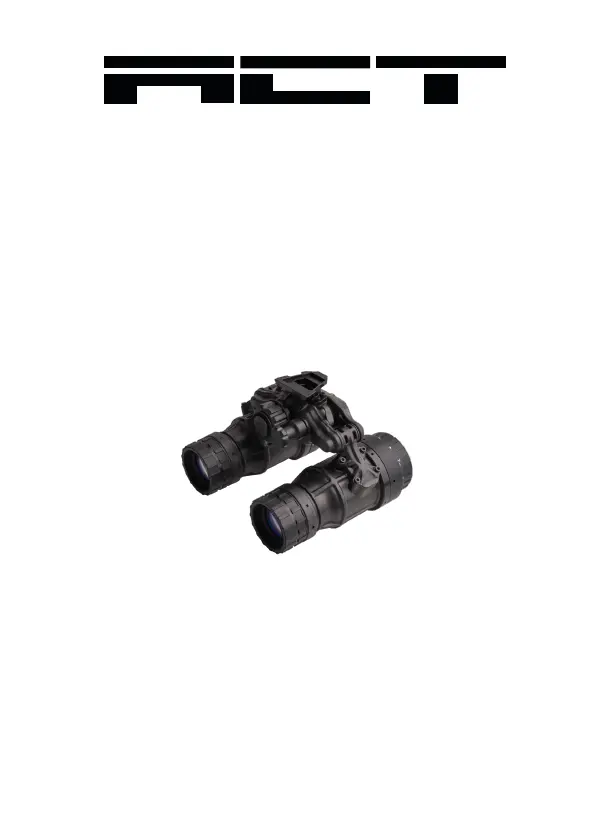
DTNVS
Binocular Night Vision Device
OPERATOR MANUAL

Questions and Answers

  • R
    rharrisJul 25, 2025
    What to do if ACT DTNVS Binoculars have poor image quality?
    • D
      Debra MuellerJul 25, 2025
      If the image quality of your ACT Binoculars is poor, try refocusing them. Clean the lens surface as described in paragraph 4.5. Also, readjust the eye relief distance for optimal viewing.
  • A
    April HollandAug 2, 2025
    How to fix ACT DTNVS that fail to activate?
    • B
      Brianna WatsonAug 3, 2025
      If your ACT Binoculars fail to activate, first, turn the switch to the RESET/OFF position and then back ON. If that doesn't work, replace the battery or ensure it's correctly installed. If the binoculars still don't activate, further maintenance is required.
  • B
    bkentAug 9, 2025
    Why is there light visible around the eyecup of my ACT DTNVS Binoculars?
    • C
      Christina RomeroAug 9, 2025
      If light is visible around the eyecup of your ACT Binoculars, check the eyecup for resiliency. If the eyecup is defective, further maintenance is required.
  • A
    Antonio GardnerAug 16, 2025
    What to do if dioptre adjustment cannot be made on ACT DTNVS Binoculars?
    • D
      Diana HopkinsAug 16, 2025
      If the dioptre adjustment on your ACT Binoculars cannot be made, check to see if the dioptre adjustment is bent or broken. If it's damaged, further maintenance is required.

Summary

CHAPTER 2: PREPARATION FOR USE

Battery Precautions

Provides critical safety warnings regarding battery handling, charging, and replacement.

Battery Installation

Step-by-step guide for installing a CR123A battery into the DTNVS.

IPD Locking System Installation

Guide on installing the IPD locking system and adjusting interpupillary distance.

CHAPTER 3: OPERATING INSTRUCTIONS

Controls and Indicators

Explains the controls and indicators of the DTNVS for user adjustment and feedback.

Operation

Step-by-step guide for operating the DTNVS, including focusing and adjustments.

Operations with IR Source

Instructions on how to activate and use the Infrared (IR) source for enhanced night vision.

Operation in conditions of blowing Dust or Sand

Precautions and steps for operating the DTNVS in dusty or sandy environments.

CHAPTER 4: MAINTENANCE INSTRUCTIONS

Cleaning the Optics

Detailed instructions for cleaning the optical surfaces of the DTNVS using specialized materials.

CHAPTER 5: TROUBLESHOOTING

Troubleshooting Procedures

Lists common malfunctions, inspection tests, and corrective actions for the DTNVS.

APPENDIX B: WARRANTY INFORMATION

ACT DTNVS Specifications

General IconGeneral
Magnification1x
Field of View40°
Weight680 g
Diopter Adjustment-6 to +2
Battery TypeCR123A