ACTinBlack Europe S.à r.l. Rev 1.0, May 2020 12
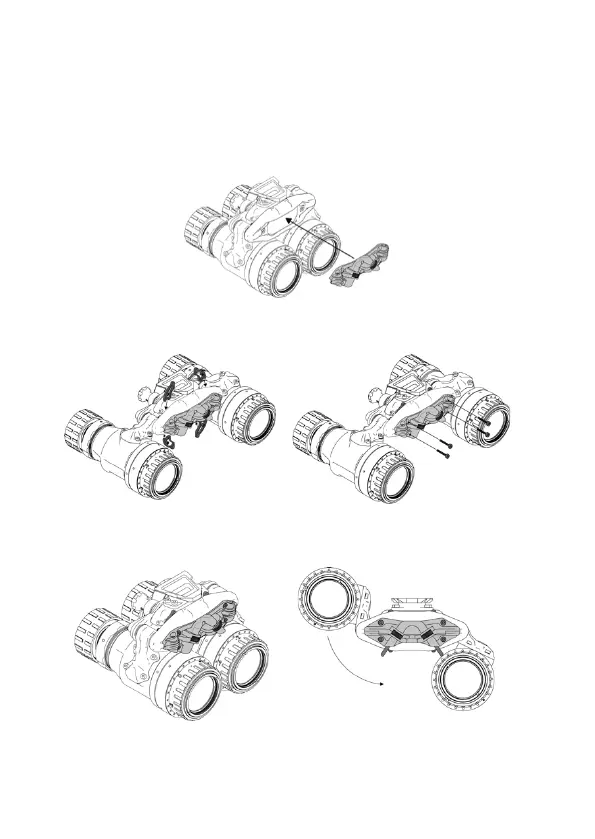
2.8 IPD Locking System Installation
Perform the following procedure to install the IPD
Locking System onto DTNVS housing.
1. Place the IPD Locking System on the back of the
unit.
2. Place the shims individually in the space behind the
backplate and secure with supplied screws.
3. Use dials to adjust and set desired interpupillary
distance for the system.


 To Next Page