ACTinBlack Europe S.à r.l. Rev 1.0, May 2020 23
permissible. Dry with a soft clean cloth, or allow unit to
air-dry before storing it.
4.5 Cleaning the Optics:
When cleaning of the lens is required, first blow any
loose dirt or grit away from the surface of the lens.
EXCEPT FOR THE DEMIST SHIELD, use dedicated
lens tissue lightly moistened with water or lens cleaning
fluid to lightly wipe the optical surfaces, using a circular
motion.
Discard each lens tissue after one use to avoid
transferring grit or foreign matter onto the lens surfaces.
If the lens remains dirty use a cotton swab lightly
moistened with lens cleaning fluid to remove the foreign
matter from the lens. Dry with a clean unused lens tissue.
4.6 Checking for Damage and corrosion:
As a general guideline, conduct an inspection of the
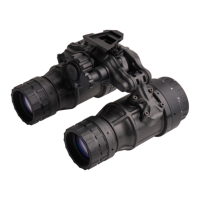
DTNVS, accessories, and the case after every use.
Look for heavy wear and cracks in rubber or plastic.
Inspect for moisture or corrosion in electronic
housings and in the battery compartment. Check for
scratches, condensation and foreign matter on
optical surfaces. Report missing or damaged items,
for replacement.
As a general guideline, conduct an inspection of the
DTNVS, accessories, and the case after every use.


 To Next Page