ACTinBlack Europe S.à r.l. Rev 1.0, May 2020 16
A steady red light indicates that the IR source is
ON. It is visible through the eyepiece just
outside the intensified field-of-view.
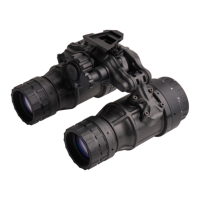
Focuses objective lens. Adjusts for sharpest
image of viewed object.
Focuses eyepiece lens to user’s eye. Adjust for
sharpest image of intensifier screen.
Interpupillary
Adjustment
Adjusts the distance between your eye and the
Binocular.
Battery Polarity
Indicator
This feature, moulded into the battery cap,
shows the proper orientation of the batteries.
Table 3-1 Controls and Indicators, (cont.)


 To Next Page