Installation Guide
6
Step 3: Insert the Cable Through the Ceiling Bracket
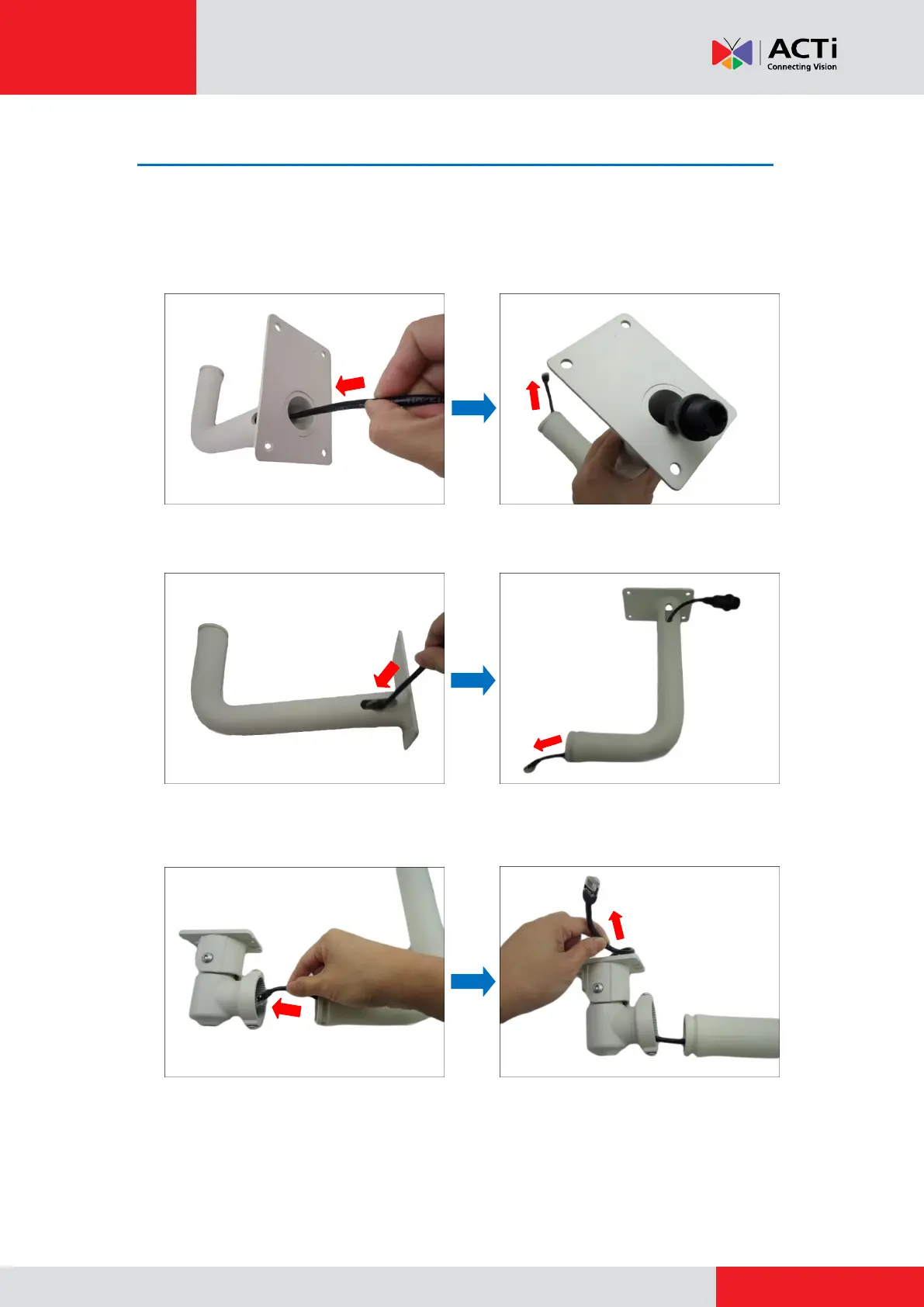
1. Determine how the cable will be routed: pass through the ceiling or along the ceiling.
If the cable will pass through the ceiling, insert the “pigtail” through the top hole of
the ceiling bracket.
If the cable will be routed along the ceiling, insert the “pigtail” through the side
hole of the ceiling bracket.
2. Insert the “pigtail” through the main bracket.



 To Next Page