Hardware Manual
18
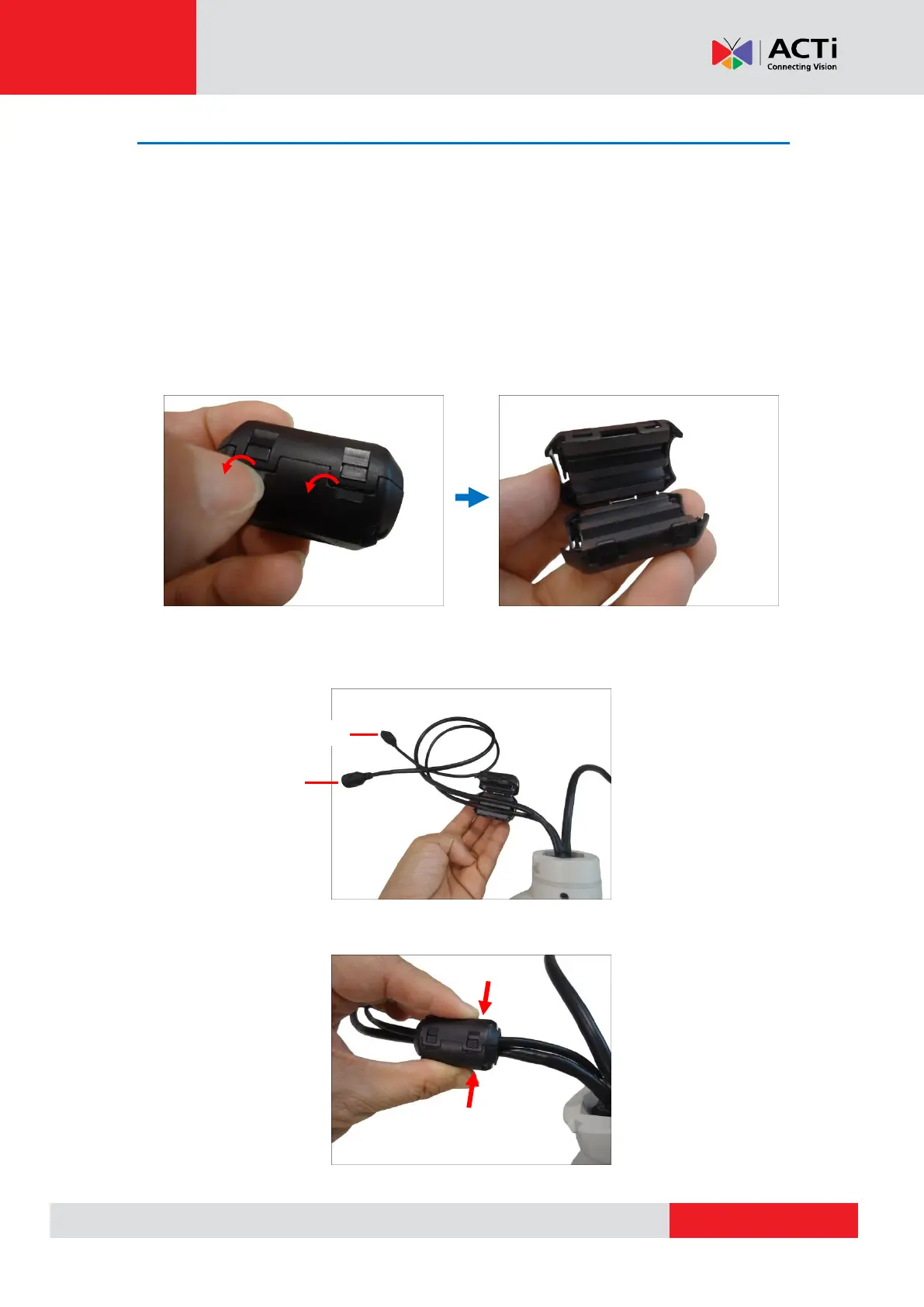
Attach the Ferrite Cores
The bundled ferrite cores should be attached to the camera cable to comply with EMC standards
either before or after mounting the camera depending on how the camera will be mounted and
the type of accessories that will be used (check the mounting accessory itself to validate if the
ferrite core will pass through its hole before mounting). The ferrite cores are used to suppress
electromagnetic interference (EMI) from electronic devices, including this camera, which may
affect one another.
1. Unsnap and open the bundled ferrite core.
2. Insert the Ethernet and AC24V power cables in the ferrite core as close to the camera as
possible.
3. Snap the ferrite core to secure it on the cable.



 To Next Page