Hardware Manual
37
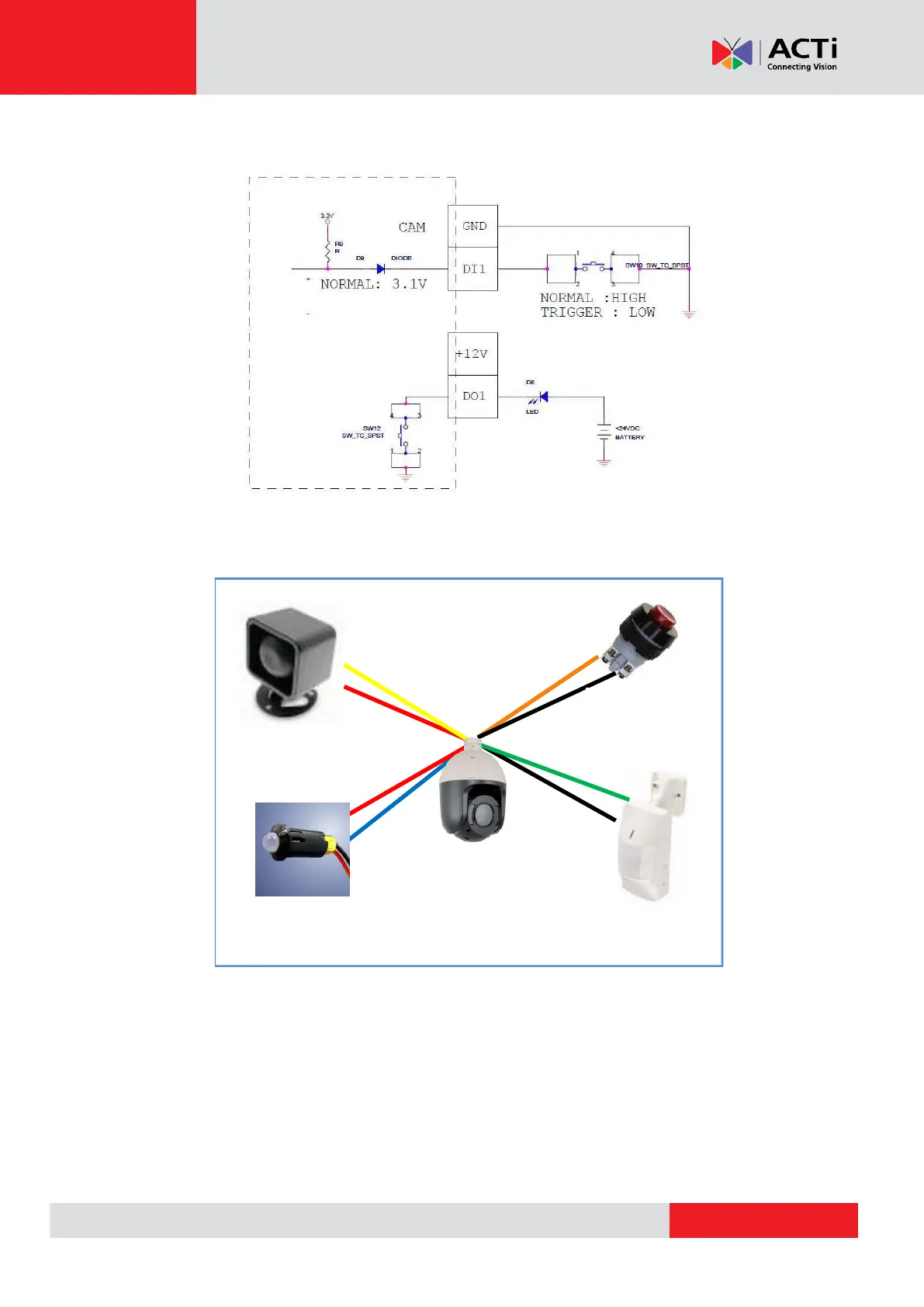
In this case, use the GND and DI1 pins to connect a DI device and use the 12V and the DO1 pins
to connect a DO device. See wiring scheme below:
Consequently, to connect a second DI or DO device, use the GND and DI2 pins to connect the
second DI device, and the 12V and DO2 pins for the second DO device.
12V DC Speaker
(DO1 Device)
Alarm Button
(DI1 Device)
Infrared Sensor
(DI2 Device)



 To Next Page