Hardware Manual
14
E217
E222
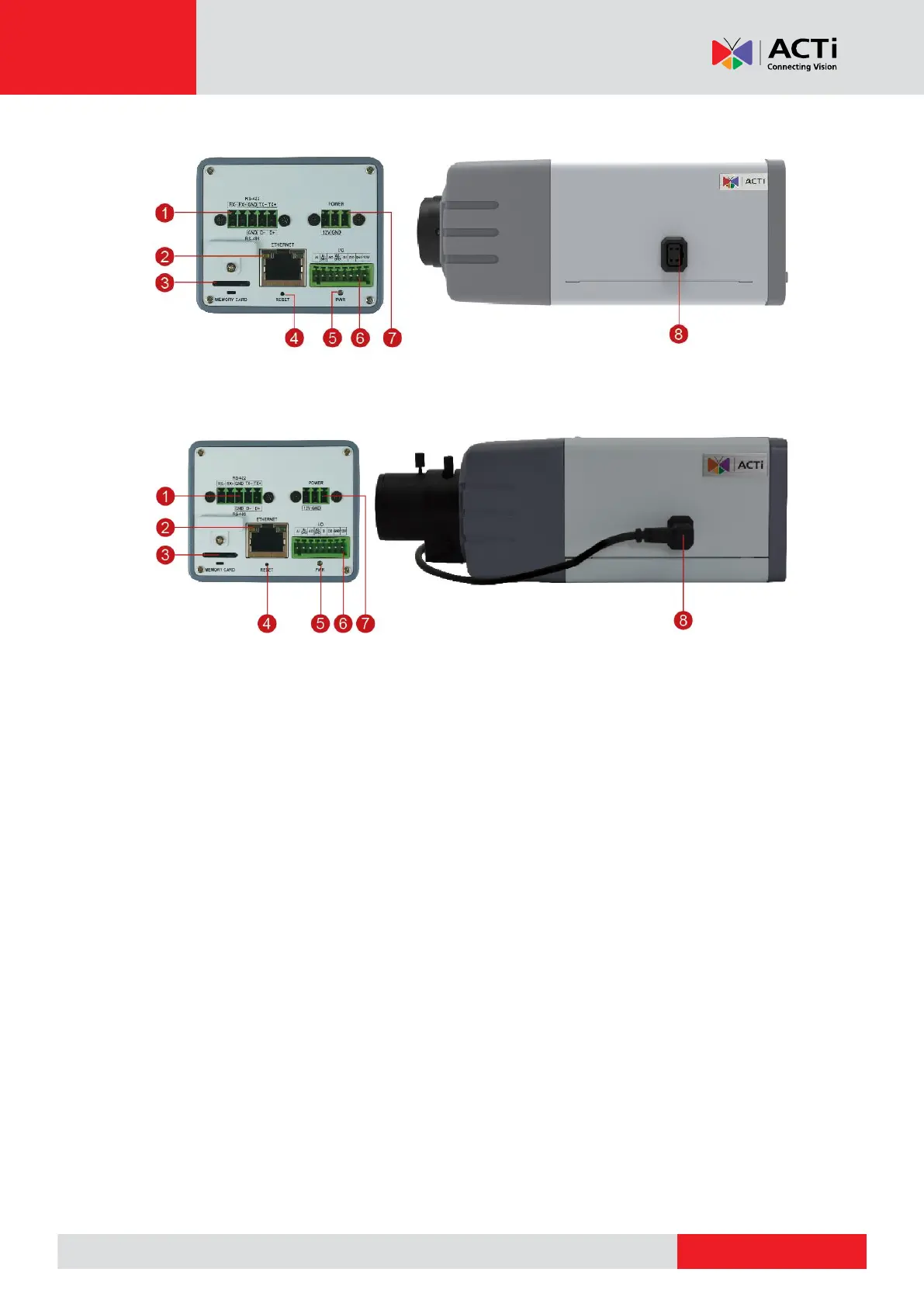
1) Serial Port
This port connects to serial devices via RS-485 or RS-422 protocols. Use the supplied serial
port terminal block to connect the wires from the serial device to the camera.
See How to Connect a Serial Device (for E23B, E217, E222 only) on page 32 for
connection details.
2) Ethernet Port
Connects to a network using an Ethernet cable.
3) Memory Card Slot
Insert a memory card into this slot for local recording purposes. See How to Install /
Remove the Memory Card on page 36 for more information.
NOTE: Supports microSDHC and microSDXC cards.
4) Reset Button
The purpose of reset button is to restore the factory default settings of the camera, including
administrator’s password.
The reset button can be used for following purposes:



 To Next Page