Hardware Manual
19
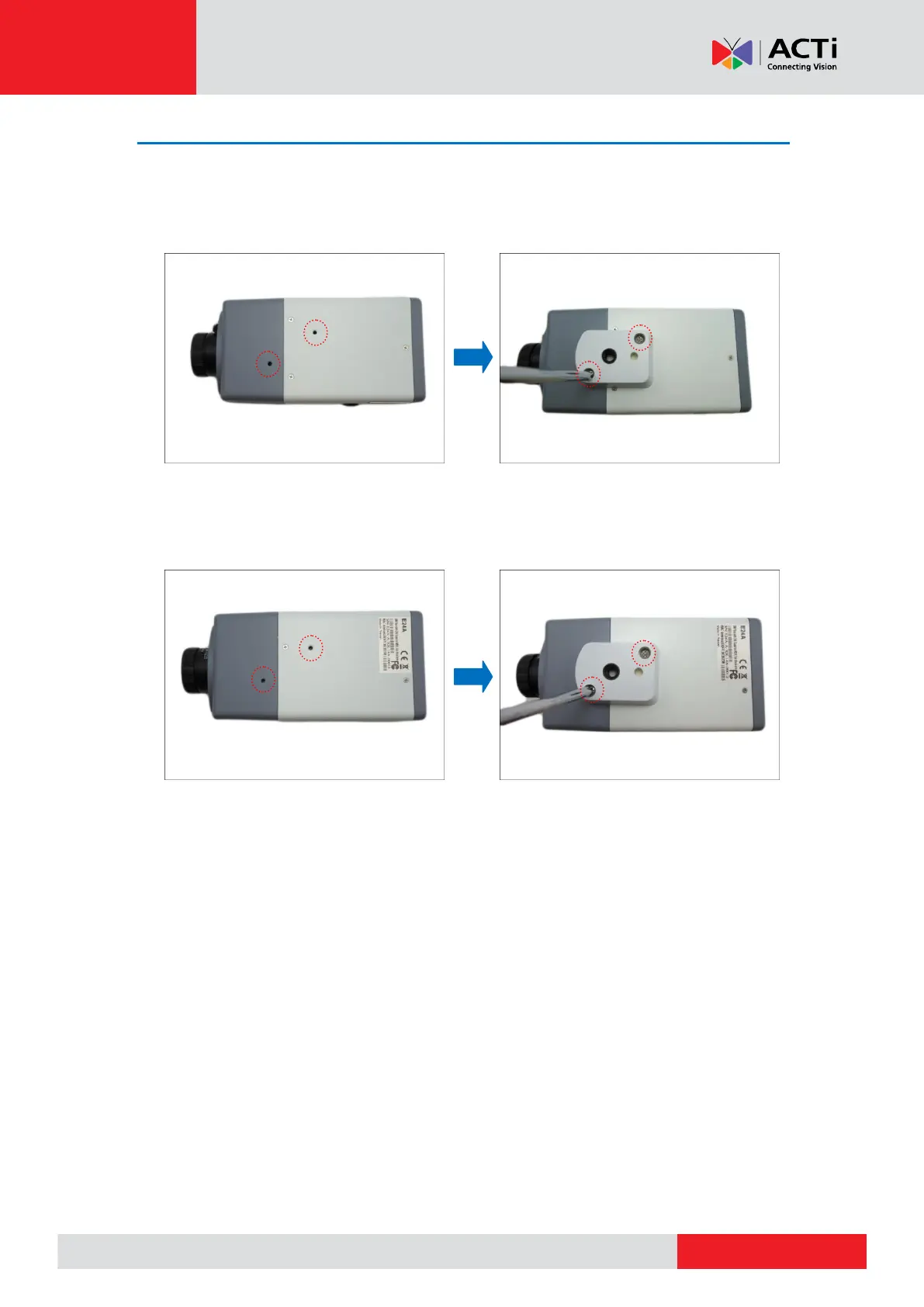
Step 2: Attach the Mounting Block
Determine where you want to install the camera: on the ceiling or on the wall.
If the camera will be installed on the ceiling, attach the mounting block on the top side
of the camera.
If the camera will be installed on the wall, attach the mounting block on the bottom
side of the camera. Secure the mounting block to the camera using the two (2) screws
included in the mounting block package.



 To Next Page