Hardware Manual
12
Step 6: Adjust the Viewing Angle and Focus
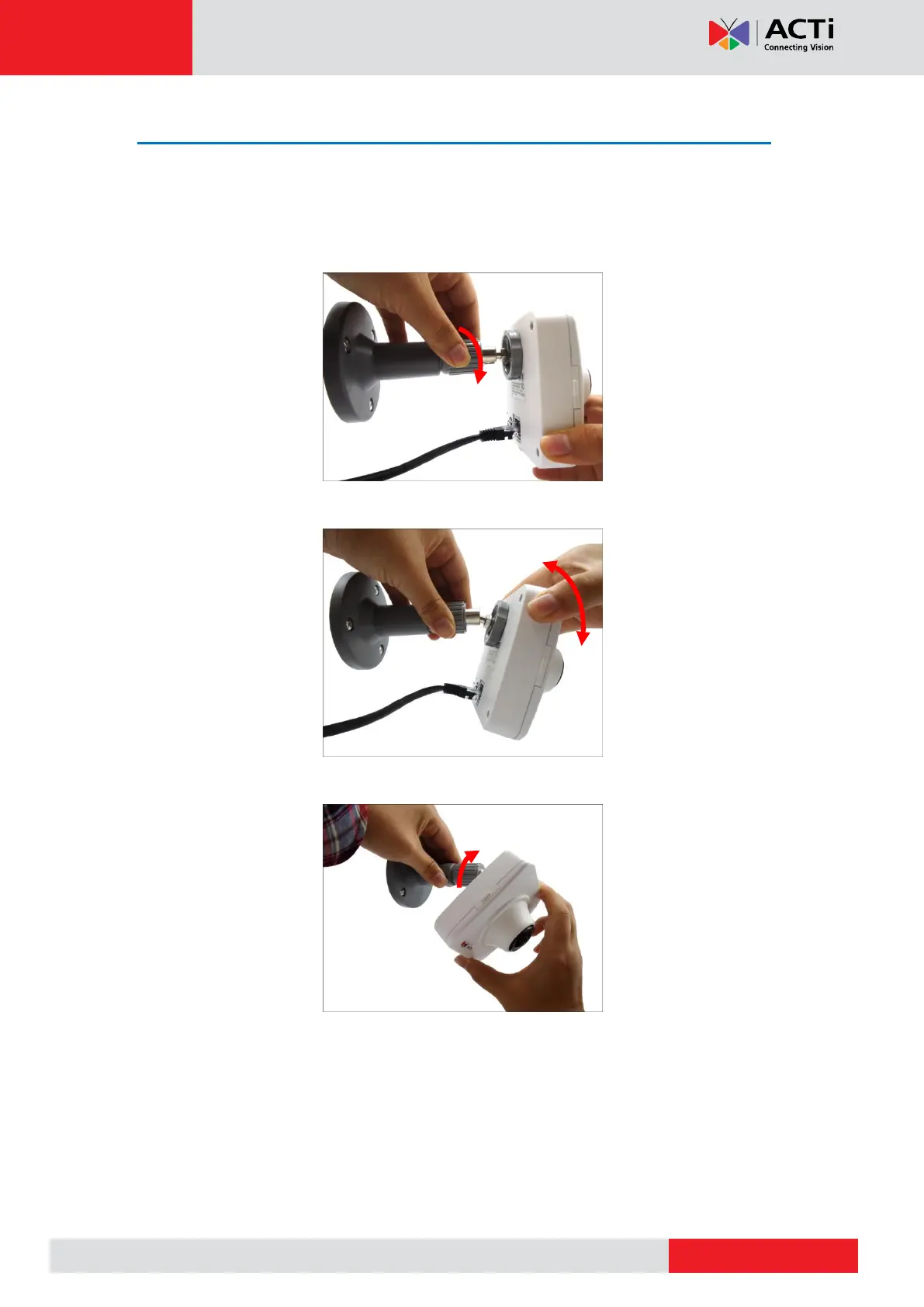
Based on the live view, adjust the camera viewing angle and focus to get the target view.
NOTE: Focus adjustment is available only on E1xA, E14, and E17 models.
1. Loosen the knob.
2. Tilt the camera towards the target view.
3. Tighten the knob to fix the camera position.



 To Next Page