E12 Hardware User’s Manual
8
Physical description
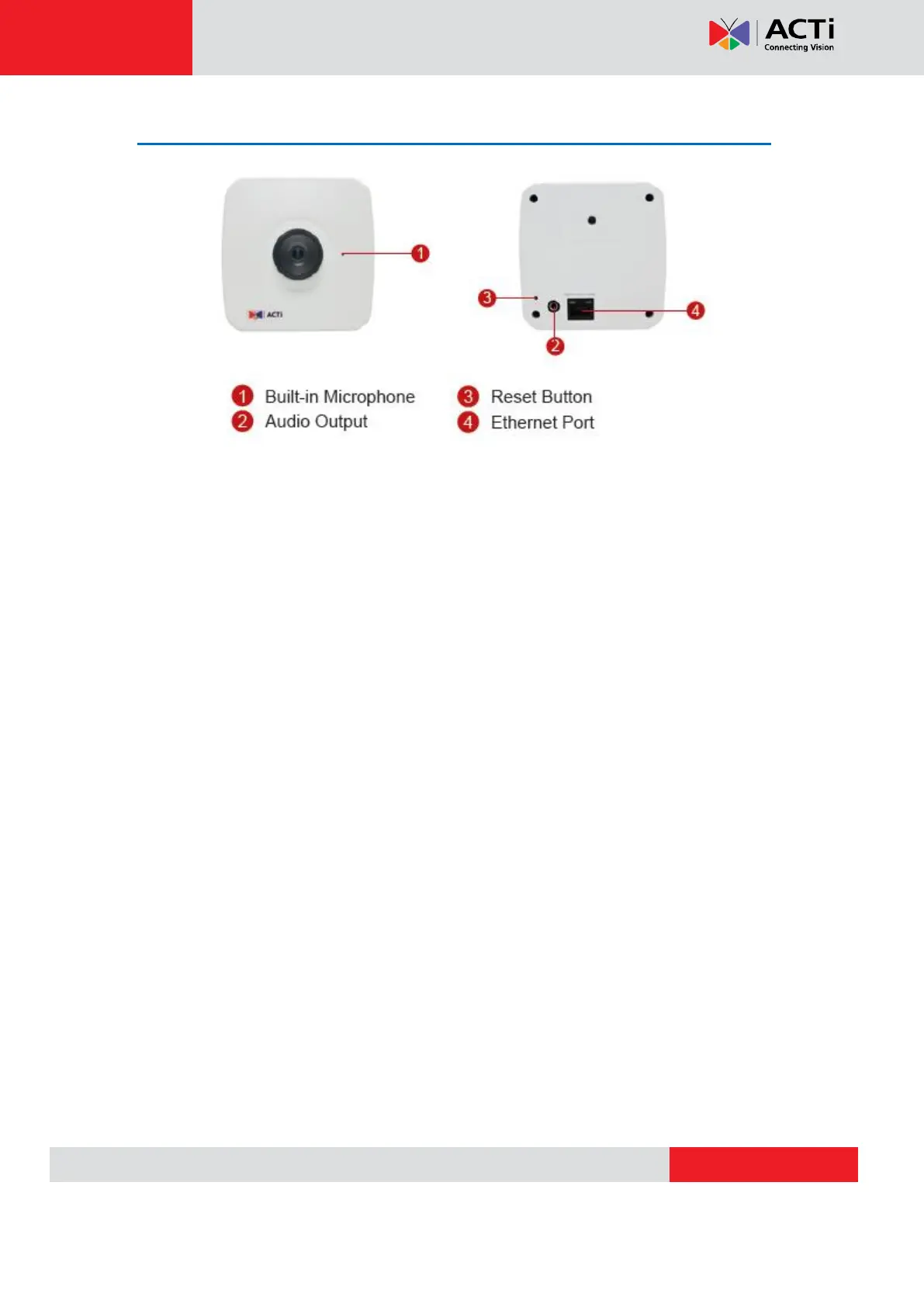
1) Built-in Microphone
2) Audio Output
The IP device supports audio output with earphone jack
3) Reset Button
Step 1: Press and continue to hold the Reset Button for 15 seconds (with a sharp tipped object,
like a pen.) after the unit has successfully completed the boot process.
Step 2: The Ethernet LED light will turn off for about 1~2 seconds and flash on for another
second. By this time the reset to default operation is already completed. You may then release
the reset button. This length of time fluctuates slightly with the environment. The unit will come
back on and stay on after a few more seconds. The unit will start up with factory default
settings automatically.
4) Ethernet Port
The IP device connects to the Ethernet via a standard RJ45 connector. Supporting NWAY, this
IP device can auto detect the speed of local network segment (10Base-T/100Base-TX
Ethernet).



 To Next Page