Hardware Manual
11
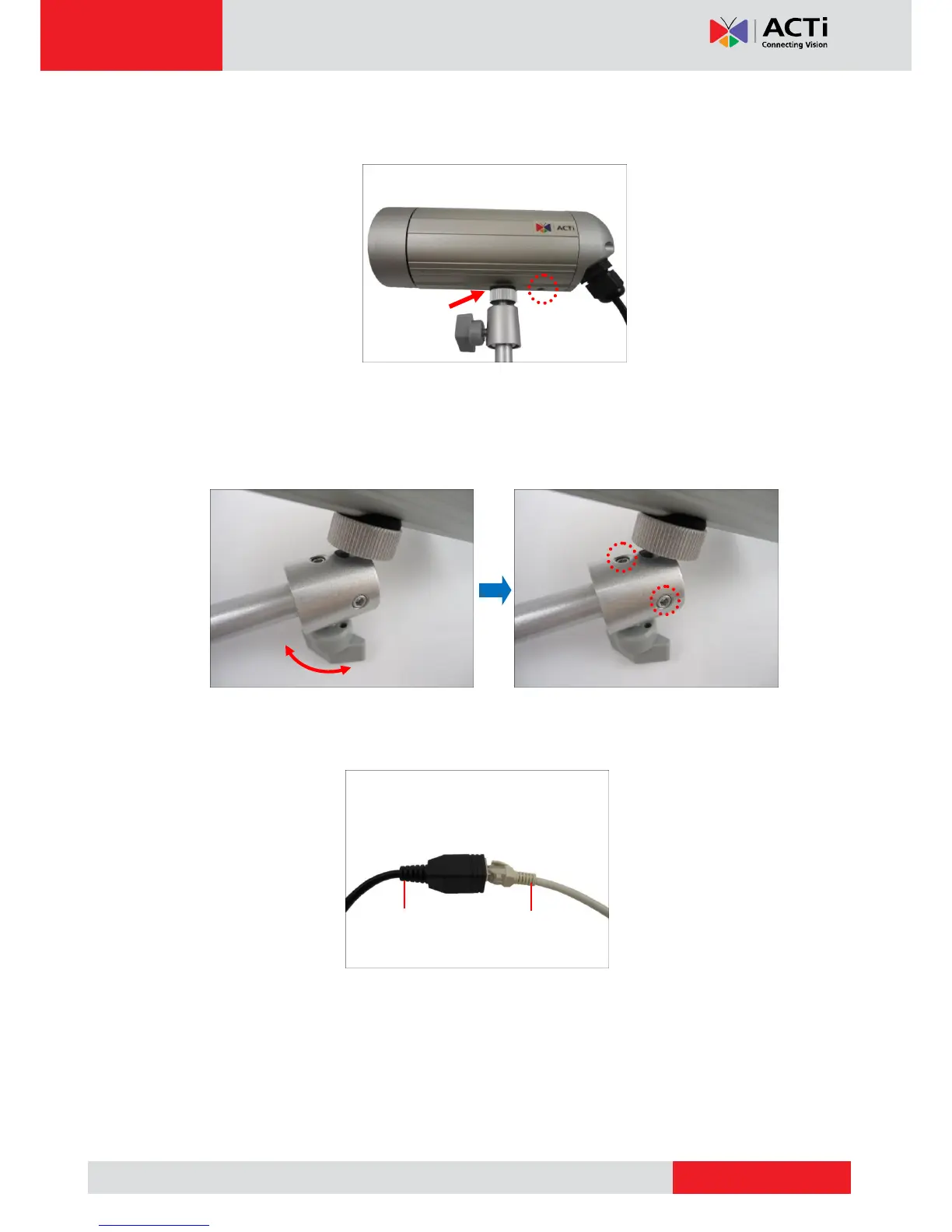
4. Depending on how you want to install the camera, attach the camera to the bracket
through one of the two (2) holes below:
5. Adjust the camera viewing angle and tighten the knob to fix the camera position.
Depending on the camera angle, you may also need to tighten the two (2) screws using
the star wrench (included in the package) to fix the camera position.
6. Connect an Ethernet cable from the network side to the Ethernet port of the camera to
complete the installation. See Basic Connections on page 23 for more information.
NOTES on using Ethernet cables: For outdoor installations, it is recommended to use
exterior-grade Ethernet cables (CAT5/CAT5e/CAT6); ordinary Ethernet cables are only
designed for indoor use and may deteriorate quickly when exposed to outdoor elements.
Exterior-grade Ethernet cables are waterproof and do not require a conduit.



 To Next Page