E43 Hardware User’s Manual
12
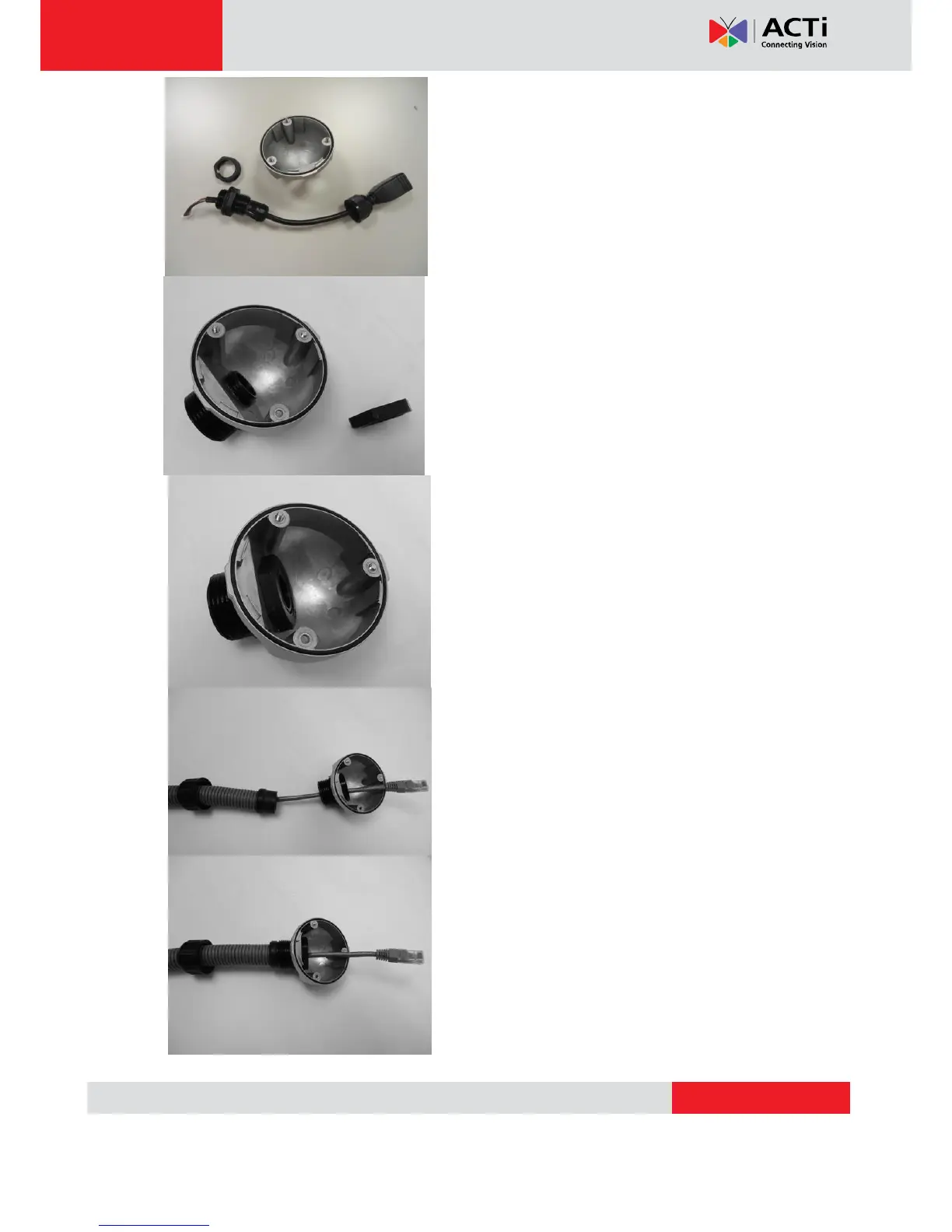
3. Remove the bundled network cable and
connector from back side cover of the camera.
4. The third piece of conduit gland goes through
the back side cover of the camera.
5. The fourth piece (locking nut) is used to lock
the gland firmly from the inside of the back side
cover.
6. Pull the network cable through the back side
cover of the camera.
7. Connect the flex conduit to the back side cover
of the camera.



 To Next Page