KCM-7311 Hardware User’s Manual
17
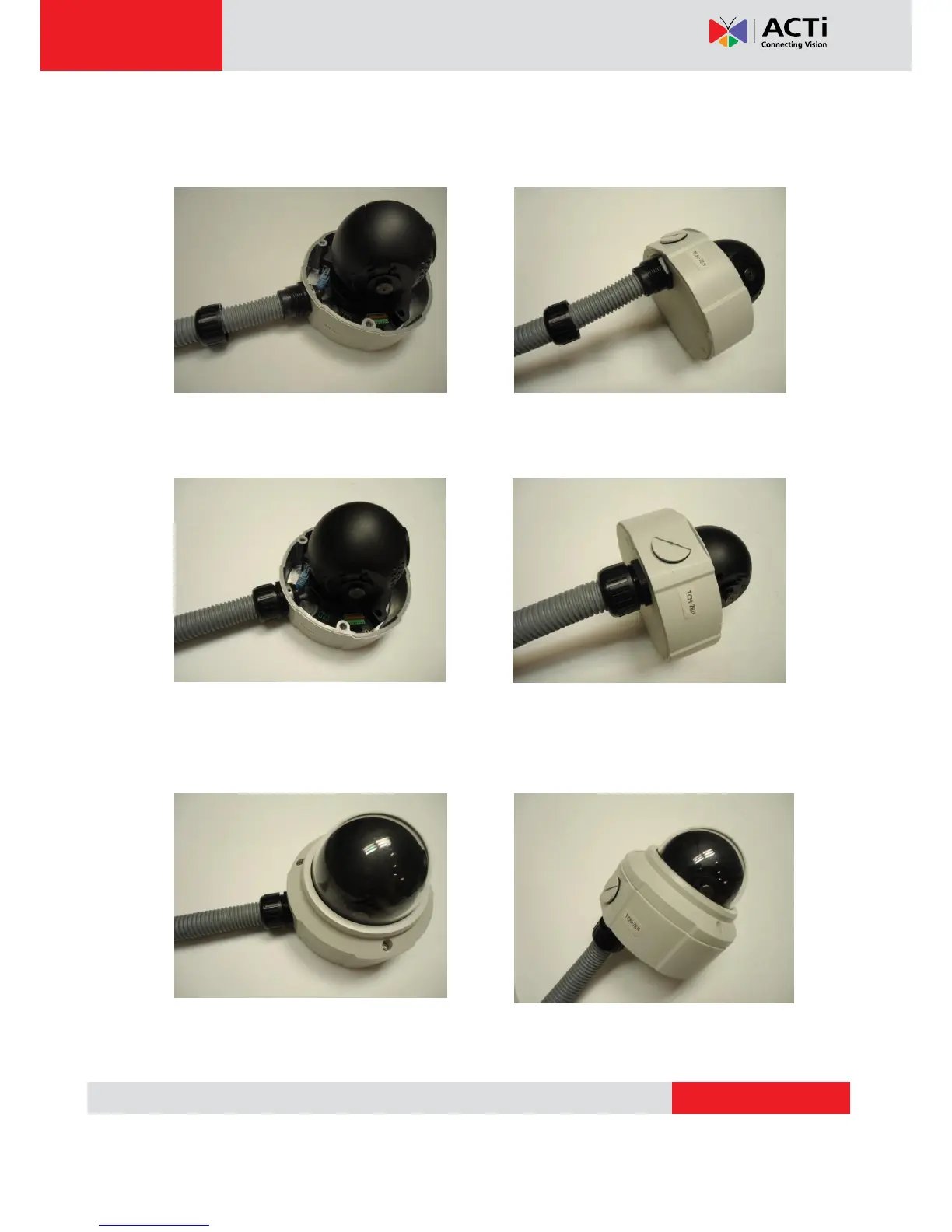
Push the head of the flex conduit, wrapped with sealing insert, into the body of the conduit
gland.
Screw the clamping nut tightly onto the body of the conduit gland.
Adjust the viewing angle and focus of the camera and put the dome cover back on, and tighten
it by using the screws.
You have completed a fully waterproof installation!


 To Next Page