Hardware Manual
43
Tag Based Playlist
NOTE: Tag Based Playlist is available only on the Enterprise plan.
Adding a Tag Based Playlist
To add a tag based playlist, you click on the "+ Add Tag based Playlist” button found at the
bottom of the Playlists list. As a next step you are requested to:
Provide the Name of the Playlist and
Add an optional Description for it
Add Black gaps between videos if you want
Choose the Workspace that you want the playlist to shuffle play the media
(Enterprise plan only).
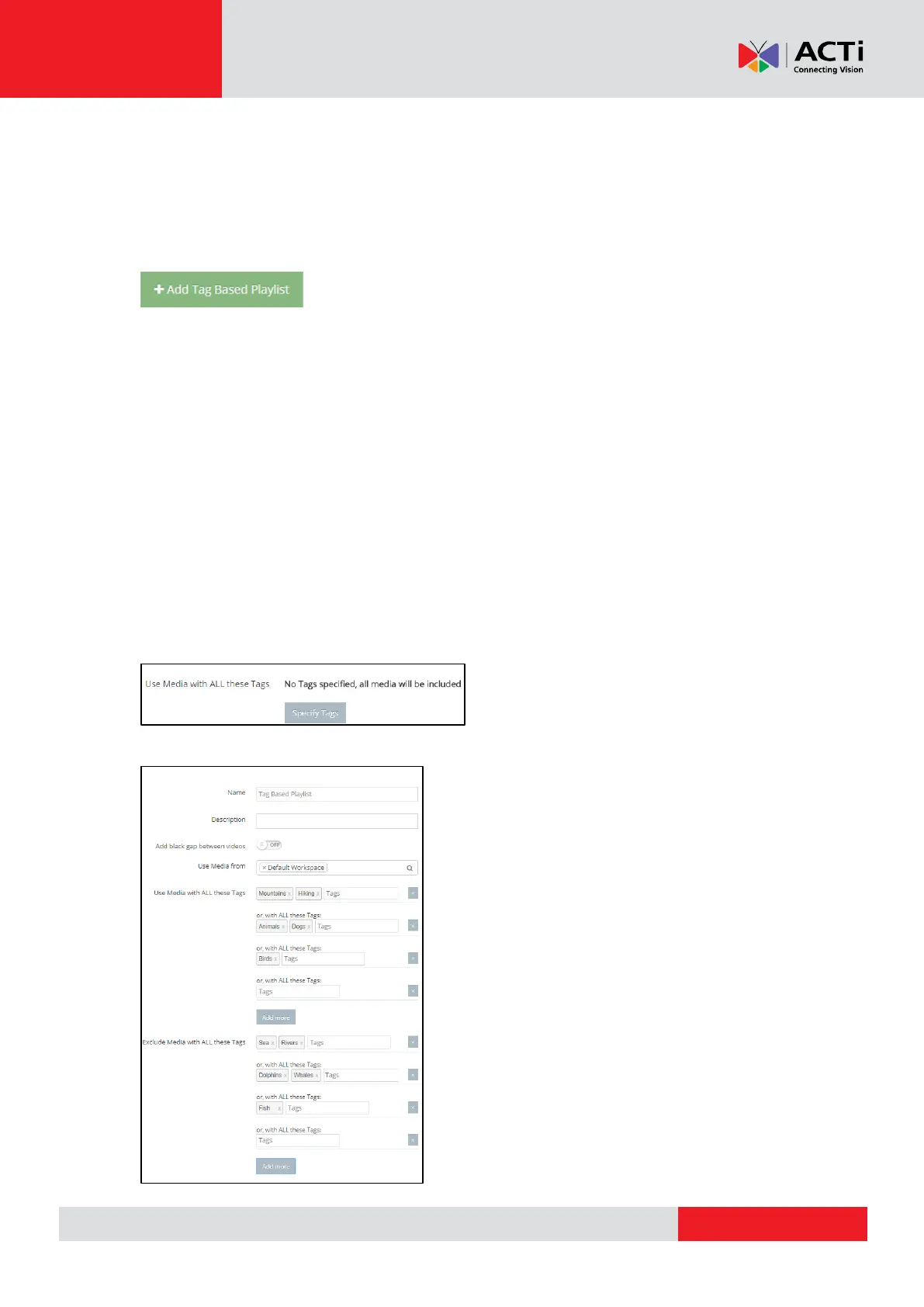
After completing the above steps you will see that “All media selected” from the whole
Workspace is activated. If you do not want to add all the media, there is filtering system in
order for you to choose which media you want to include or exclude. If you click “Add filter” you
will see the below example.
The example below shows the media that contains the items below:



 To Next Page