Hardware Manual
48
Turned Off Show (Turn Your TV On and Off)
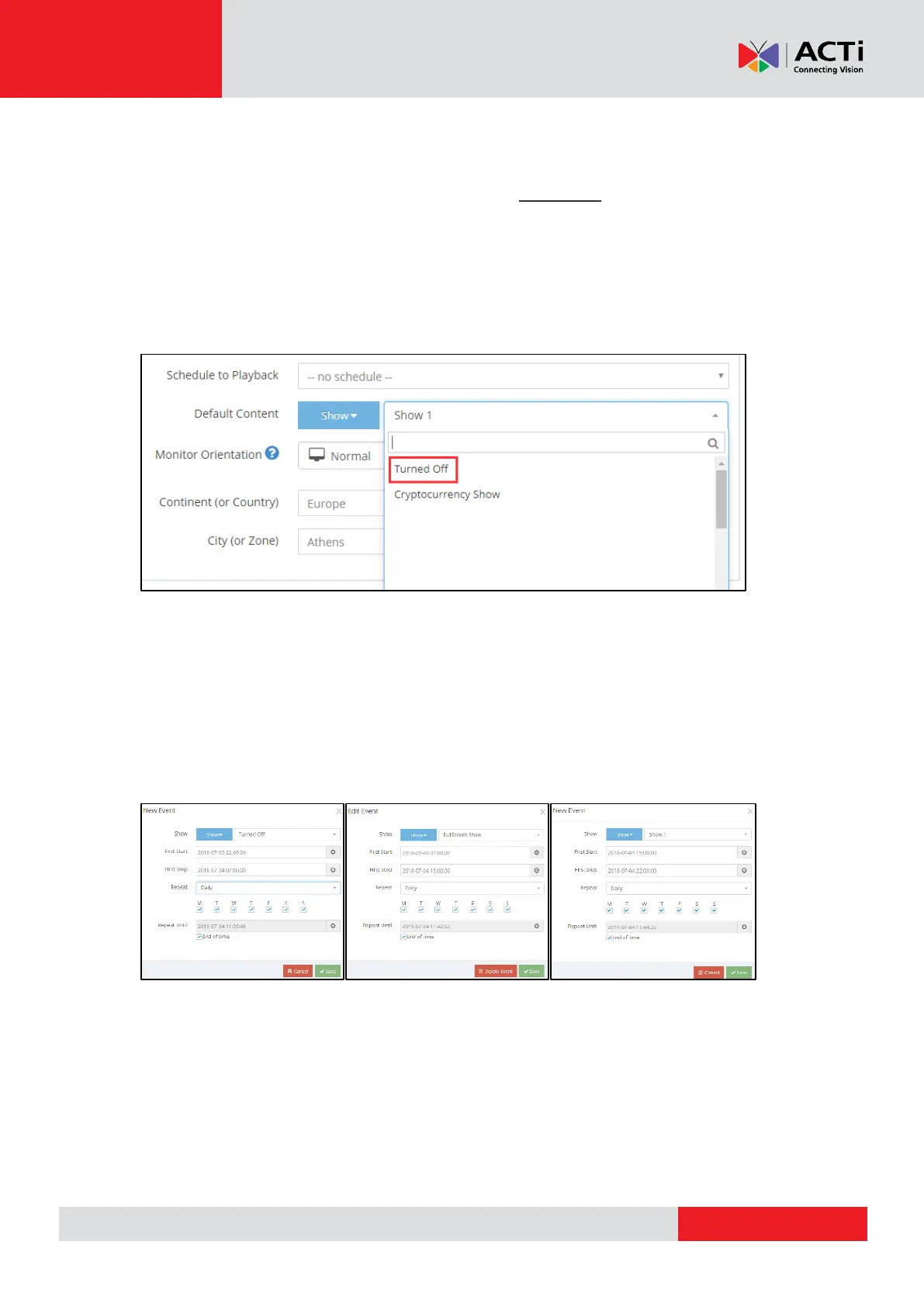
You can turn the TV ON and OFF by using the special "Turned Off" Show. Keep in mind that
the Player uses the "Default Content" assigned to it and overrides it with the "Schedule to
Playback". If your TV supports the CEC Option (*check info on next page) and also is
enabled, you can directly assign the Turned Off Show to your device. You can find the Turned
off Show, if you enter to one of your monitors settings and by clicking to change the Default
Content you will see the Turned Off Show.
Scheduled Turned Off Show
If you go to "Schedules", you can create a new Schedule and add an entry there for the
"Turned Off" Show. Whenever this Show (Turned Off) is scheduled, the TV will be turned off.
When the next Show will start displaying it will Turn On your TV and start displaying the
Assigned Show.
So lets see a Scheduled example of the Turned Off Show:
From the above images
Added "Turned Off" Show which will play from 22:00:00 to 07:00:00.~TV will be Turned
Off~
Added "Full Screen" Show which will play from 07:00:00 to 15:00:00. ~TV will be Turned
On~
Added "Show 1" Show which will play from 15:00:00 to 22:00:00. ~TV will still be On~
The "Turned Off" Show will start playing again. ~TV will be Turned Off~



 To Next Page