Hardware Manual
9
Create an Account
1. Open a web browser and type
https://app.acti.com on the URL bar.
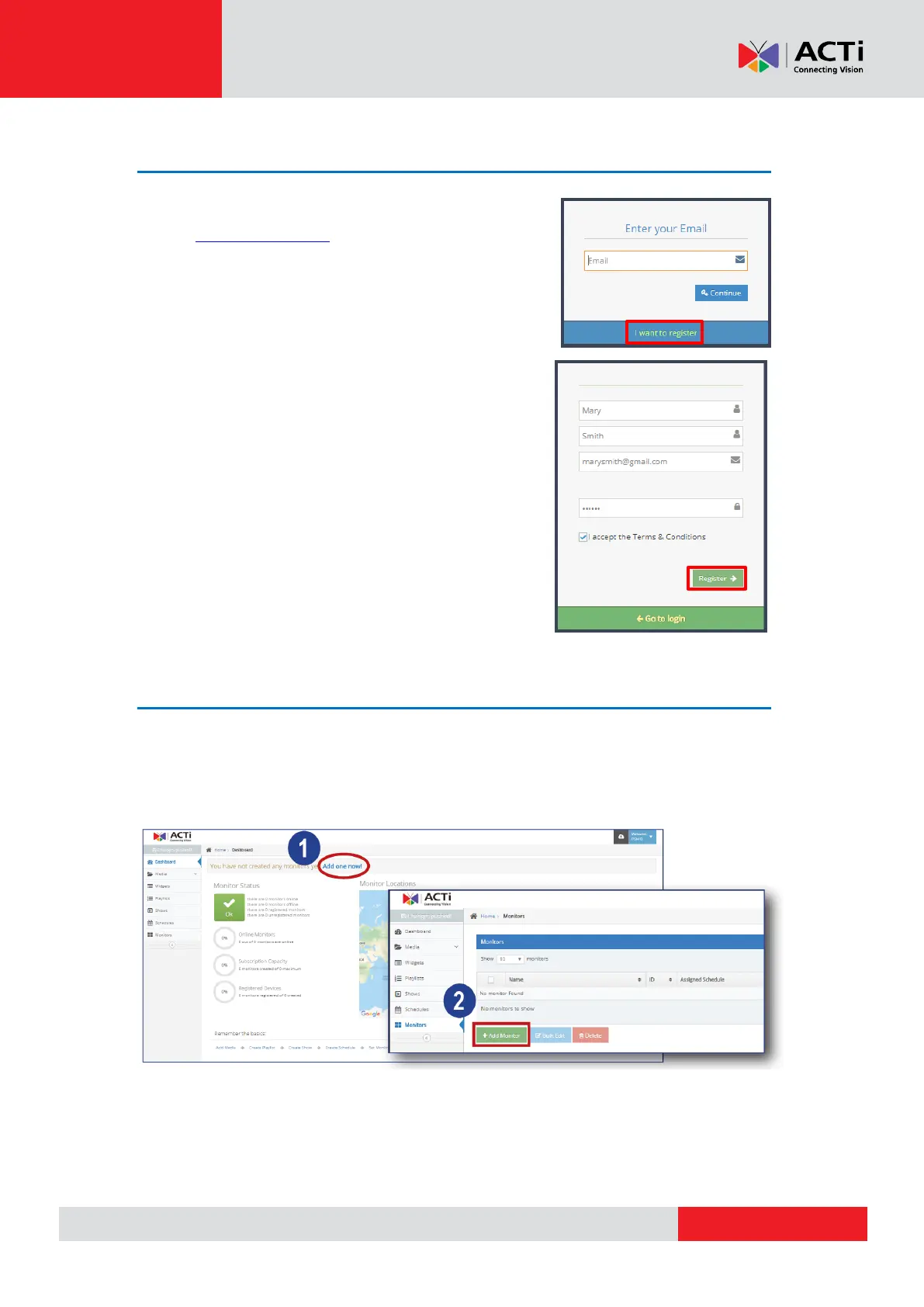
2. Click I want to register.
3. Input the First Name, Last Name, Email and
Password.
4. Click I accept the Terms & Conditions, and
click Register.
Register the Player on Your Account
After creating an account, the ACTi Media Management Application automatically logs you in
and takes you to its Dashboard.
Click Add one now! Add Monitor, then enter the registration number.
NOTE: Monitor quota is a paid monthly service. Contact your sales agents for more information.



 To Next Page