Need help?
Do you have a question about the ACTi Q13 and is the answer not in the manual?
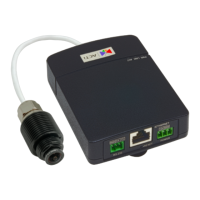
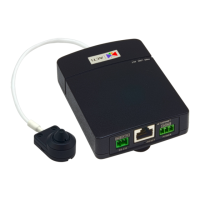
Details of available camera models.
Procedure for mounting the main unit on a DIN rail.
Instructions for drilling the necessary holes for flush mounting.
Guide to connecting a power adapter for camera operation.
Steps to configure IP addresses for camera access.
 General
| Model | Q13 |
|---|---|
| Sensor Type | CMOS |
| Lens | Fixed |
| Aperture | F2.0 |
| Focus Adjustment | Fixed |
| Day/Night | Yes |
| Video Compression | H.264, MJPEG |
| Frame Rate | 30 fps |
| Mounting Type | Ceiling, Wall |
| Connectivity Technology | Wired |
| Type | IP Security Camera |
| Lens Iris | Fixed |
| Video Modes | 1280x720, 640x480 |
| Network Interface | 10/100 Ethernet |
| Networking Protocol | TCP, HTTP, HTTPS, DHCP, DNS, DDNS, RTP, RTSP, SMTP, FTP, NTP, UpnP, Bonjour |
| Power Supply | 12V DC |
| Power Over Ethernet (PoE) | Yes (802.3af) |
| Compliant Standards | CE, FCC |
| Features | WDR |


 To Next Page