Hardware Manual
12
Installing the Main Unit
The main unit can be directly mounted on a DIN rail or use the bundled mounting rail for
flexible installations. Before installation, determine the location to mount the camera and the
main unit. Consider that the camera cable is 12 meters long. The main unit can be installed
apart from where the camera is mounted, like in a secured area or separate room.
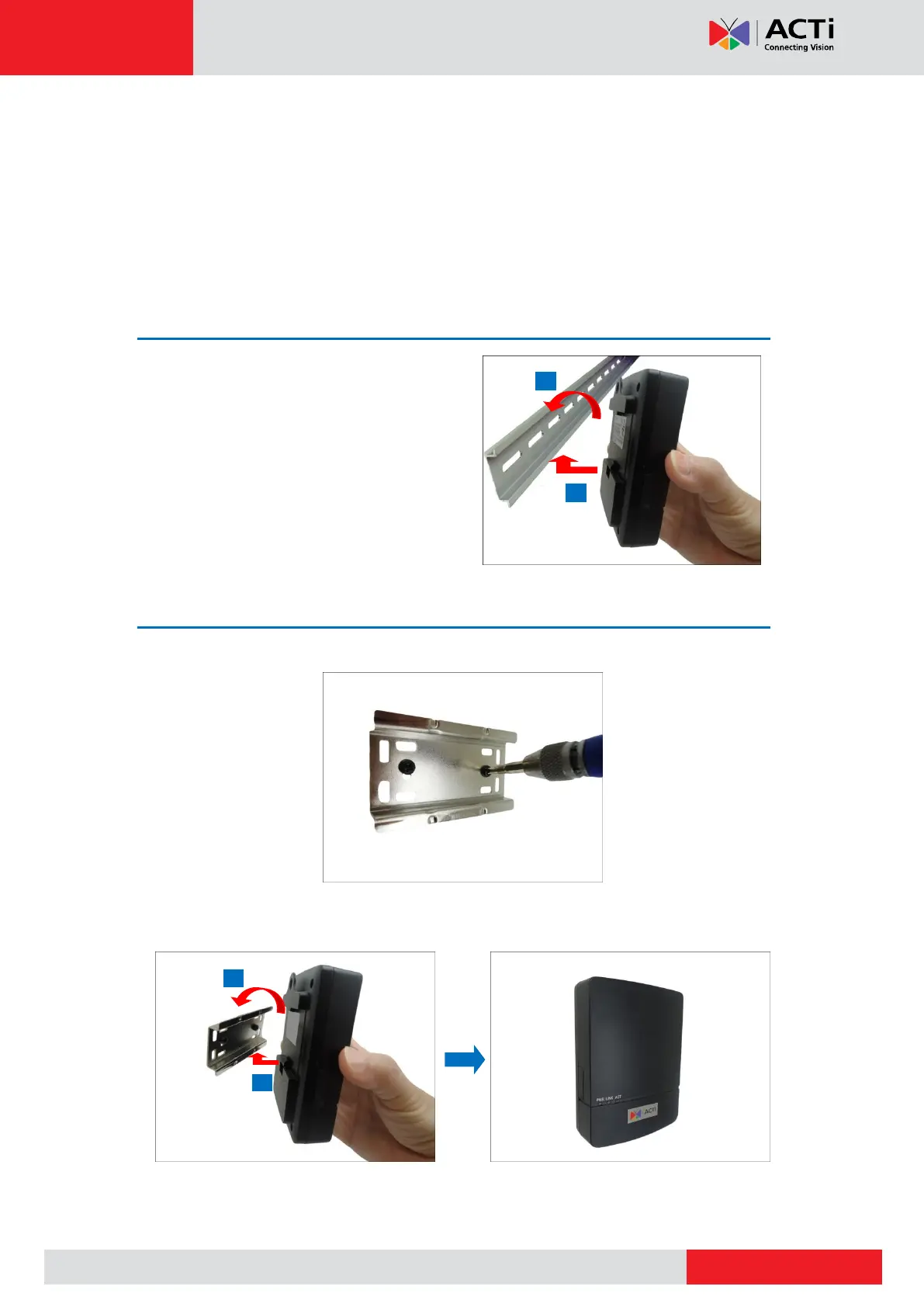
Mounting on DIN Rail
1. Attach the lower end of the main unit to the
DIN rail.
2. Slightly push up the main unit and snap the
upper end into place.
Using the Bundled Mounting Rail
1. Install the mounting rail on the surface using the two (2) screws.
2. Attach the lower end of the main unit to the mounting rail.
3. Slightly push up the main unit and snap the upper end into place.



 To Next Page