Hardware Manual
9
Installation Procedures
Wall Mount
You can adopt wall mount or ceiling mount and purchase hardware accessories by yourself.
The following part takes wall mount as an example. Ceiling mount is similar to wall mount and
therefore is omitted here.
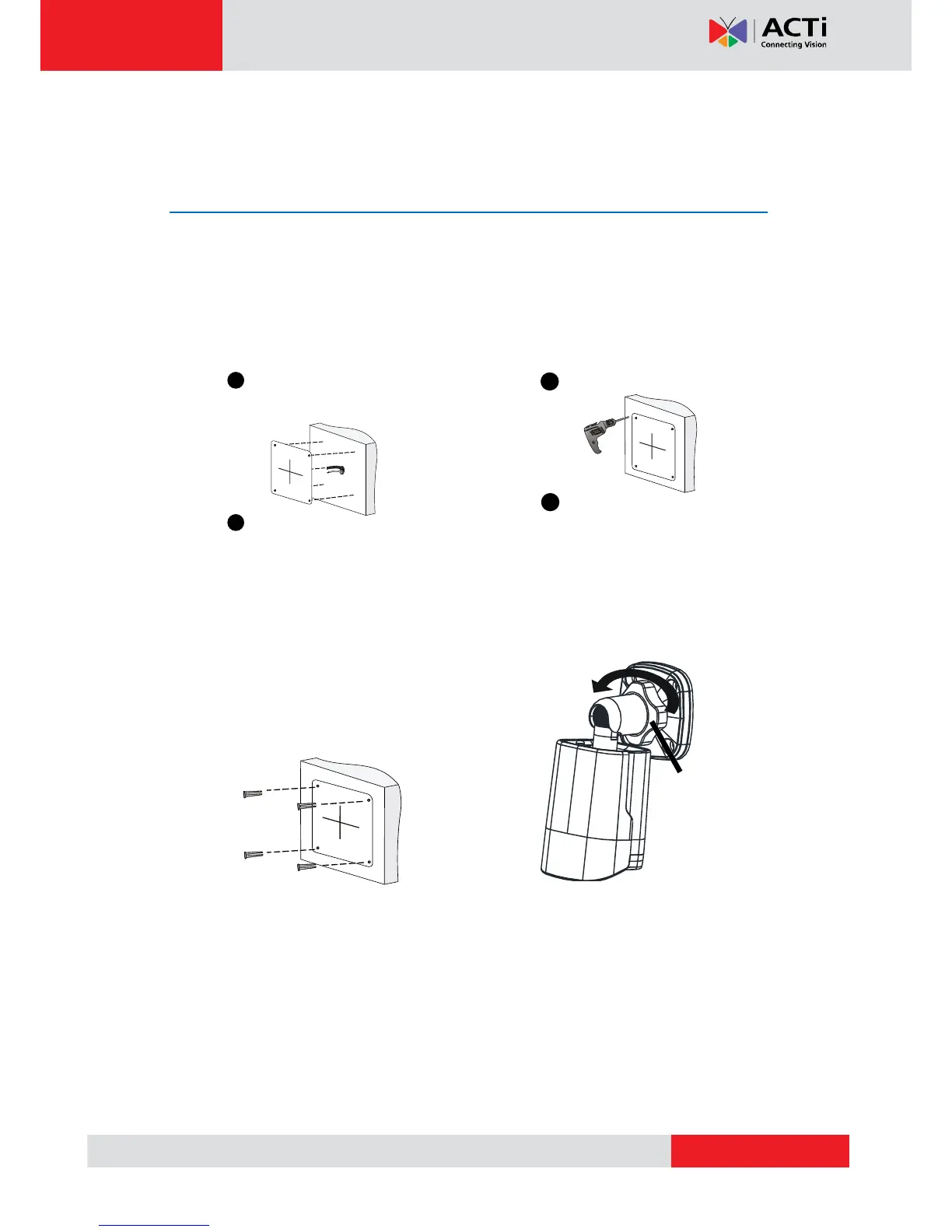
1. Locate the positions of the holes.
2. Drill holes on the wall.
3. Mount the plastic rivets of self-tapping
screws.
4. Screw the locknut to loosen the universal
joint before attaching your camera to the wall.
Paste installation positioning
stickers on the wall and align
the cross center to the hole in
the wall.
Lead the cables across the hole
on the wall.
1
2
Use a Ø6-6.5mm drill bit.
Drill 30 mm-depth guide
holes according to the
positions marked by stickers.
1
2
Knock the plastic rivets
into the guide holes and
ensure that they are
tightened up.



 To Next Page