Hardware Manual
9
Cable Connection
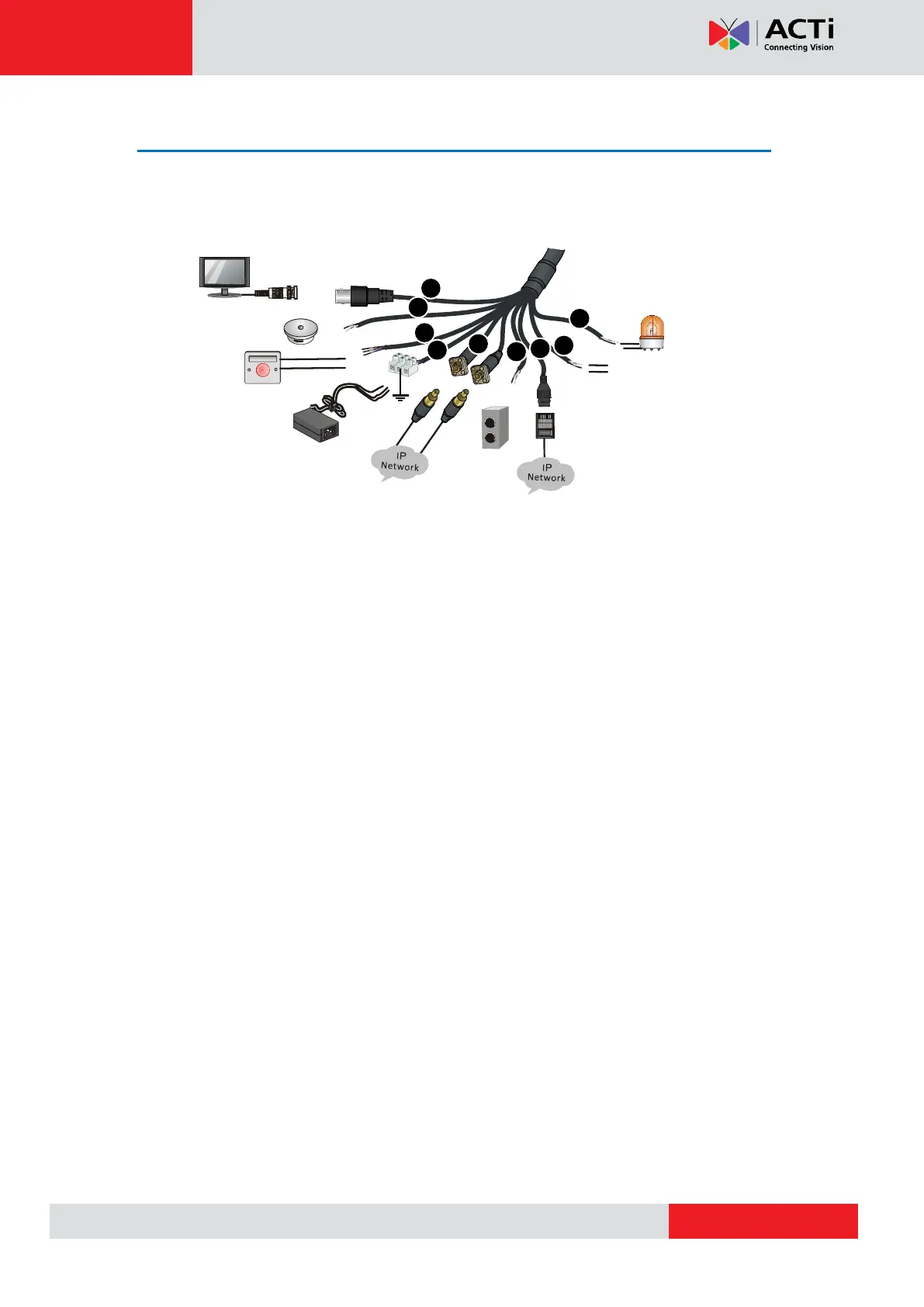
All the cables are tagged to indicate their functions. This section takes the full pigtail cable as
an example. You can connect cables by referring to the following figure.
NOTE:
The above photo is for reference only; depending on the location or time the
product is purchased, some components may not be available on the actual
product.
Please disconnect the power before mounting the camera.
The camera does not provide power for external devices. Make sure to use
external power source to power up external devices such as alarm input/output,
audio, etc.
For specifications, see the latest product datasheets.
Display
device
Audio input
(Sound pickup)
Alarm input (Voice
activated switch)
Power adapter
Network access
device connected
through optical
interface
Audio output
(Outdoor
sound box)
Network access
device connected
through copper
interface
Third-party device
connected through
RS485 interface
Alarm output
(Alarm indicator)
Ground
1
2
3
4
5
6
7
8
9



 To Next Page