36
You should always check you are in the
desired mode when you turn on
Acticare IC prior to treatment. The
default preset mode is TSE1 in
TENS/TSE and PROG1 for Interferential
Current (IC).
If you see the TIMER setting screen
this means you did not press both
keys together. Press to exit and
try again.
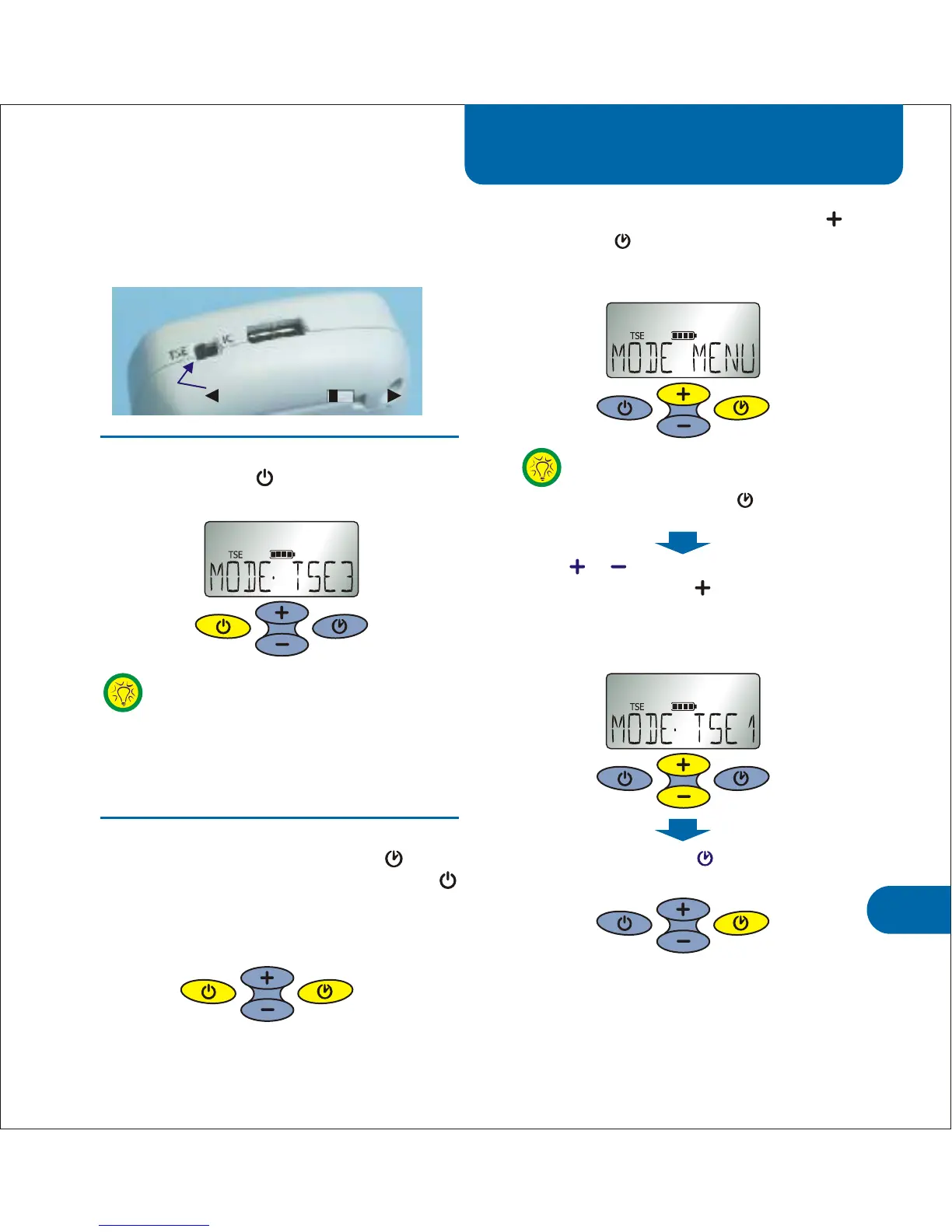
To change therapy mode
press the
and TIMER buttons
. The display should flash
“MODE MENU” as confirmation.
together at the
same time
Quick Reference
Press or to select the mode you wish
to use. Each press of causes the menu
to cycle through the available modes (for a
list of Interferential modes see page 9,
TSE page 15, TENS page 21).
Press and hold TIMER for 1 second to
exit and save settings.
To restore factory settings. Start with the
device off and hold down the TIMER key
while you turn the unit on with the ON/OFF
key. The device should display all segments
followed by the software revision number
before starting up normally.
To change between TENS/TSE and
Interferential modes use the switch on the
underside of the device.
To check therapy mode preset turn the
device on using the key. The mode is
displayed for one second as the device
switches on.
13
Therapy Mode Switch
TSE & TENS IC



 To Next Page