35
Quick Reference
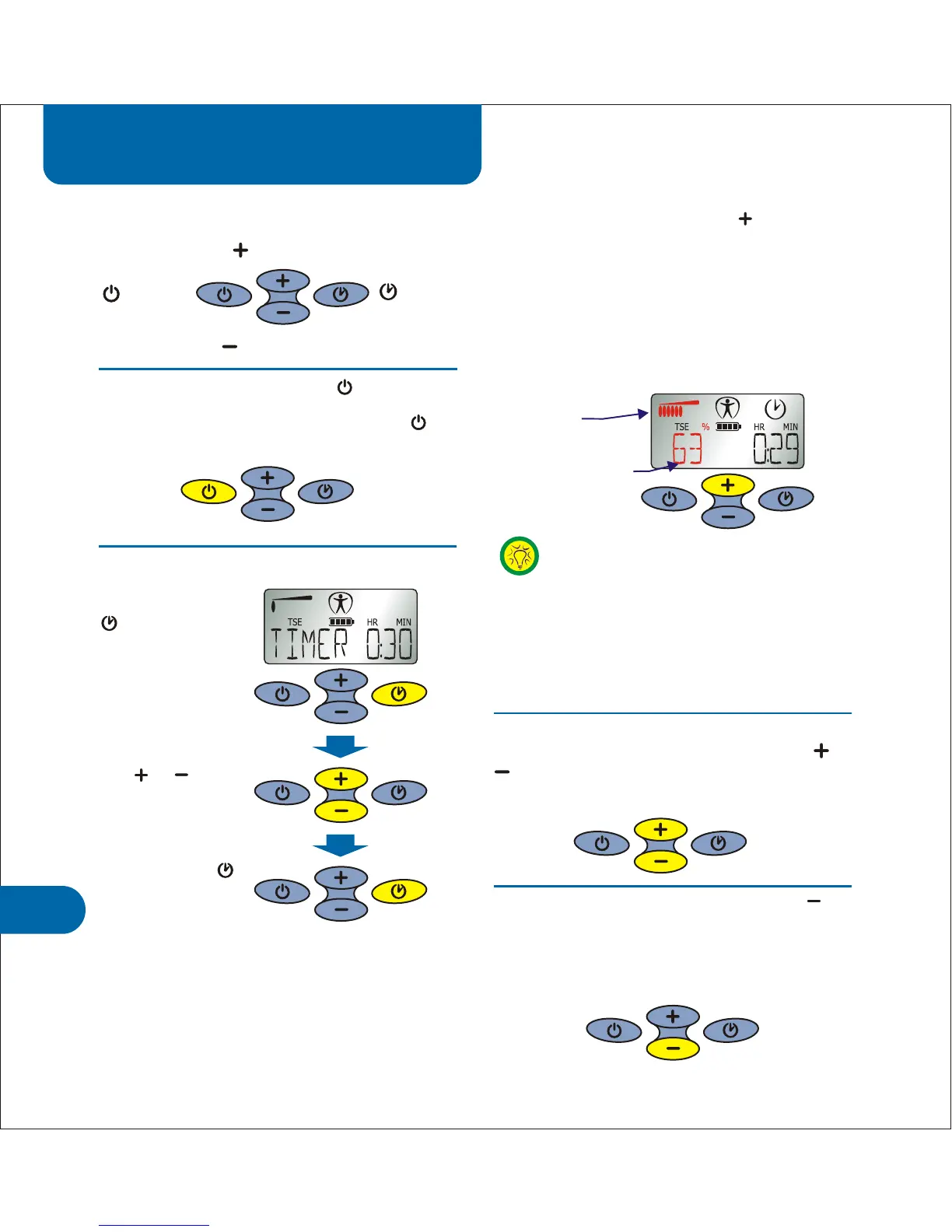
To turn the device off press and hold for
one second.
To turn the device on press .
To adjust the treatment timer
To start treatment press the button.
Each press increases intensity by 1% in
TENS/TSE modes or 1mA in Interferential
modes. Hold the button down to increase
intensity quickly.
The treatment intensity is displayed as a bar
graph and also as a percentage or in mA
(highlighted in red in the diagram below).
The Acticare IC device has 4 buttons.
On/Off
button
Timer
button
Minus button
Plus button
Intensity Level
Bar Graph
Intensity Level %
Use & to
adjust time
Press the TIMER
button to
enter timer
setting mode
Press and hold
for one second to
save your new
time.
Some people mistake the intensity %
for an indication of TSE and TENS
preset modes 1, 2, 3 etc. The figure
“1” on the display means an intensity
of only 1% or 1mA in Interferential
modes. The active preset is only
displayed for one second when the
unit is switched on.
To increase or decrease treatment
intensity during treatment, press the or
buttons. Each press changes intensity by
1% or 1mA. Hold the button down to change
quickly.
13
To stop treatment press and hold the
button to quickly reduce intensity. When the
treatment level reaches zero the treatment
stops automatically. Alternately, you can stop
treatment by turning the device off.



 To Next Page