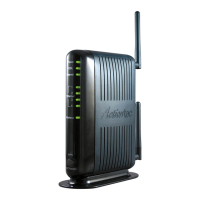
Need help?
Do you have a question about the ActionTec T3280 and is the answer not in the manual?
 General
| Brand | ActionTec |
|---|---|
| Model | T3280 |
| Category | Network Router |
| Language | English |
Lists all items included in the product packaging.
Details the hardware and software prerequisites for operation.
Highlights the key functionalities and capabilities of the gateway.
Describes the physical components, ports, and indicators on the device.
Provides instructions for physically connecting the gateway to the network.
Steps to open the gateway's web-based graphical user interface.
Explains the navigation icons for accessing different sections of the GUI.
Displays the current status of the gateway's network connections and devices.
Guide on how to navigate to the various status information pages.
Provides detailed information on WAN, LAN, and DSL connection parameters.
Shows current settings and activity for the gateway's wireless networks.
Details the status of the local area network ports and connected devices.
Records system events, errors, and activities for troubleshooting.
Guide to enter the wireless configuration interface.
Configuration options for SSID, security type, and broadcast.
Fine-tuning options for wireless compatibility, channel, and QoS.
Manages network access by filtering devices based on their MAC addresses.
Guide to the firewall configuration section.
Sets the overall firewall security level and basic rules.
Configures rules to direct incoming internet traffic to specific internal devices.
Exposes a single device on the LAN to the internet with minimal firewall protection.
Enables Universal Plug and Play for automatic network service discovery and configuration.
Guide to the more complex configuration options.
Configures how the gateway obtains its public IP address from the ISP.
Manages the gateway's local IP address and DHCP server configuration.
Associates a dynamic hostname with the gateway's current IP address.
Prioritizes specific types of data traffic for upstream transmission.
Resets the gateway's configuration to its original factory settings.
Performs a test to measure the internet connection's upload and download speeds.
Provides overview of model number, standards, protocols, and speed.
Details the specified indoor and outdoor coverage distances for Wi-Fi.
Explains the meaning of the various status lights on the gateway.
Specifies the input and output details for the device's power supply.
Details the limited hardware warranty and software update period.
Essential safety precautions to prevent electrical shock, fire, and injury.
Information regarding the device's compliance with FCC regulations for radio frequency emissions.
Provides contact details for Actiontec Electronics for product inquiries.

 To Next Page