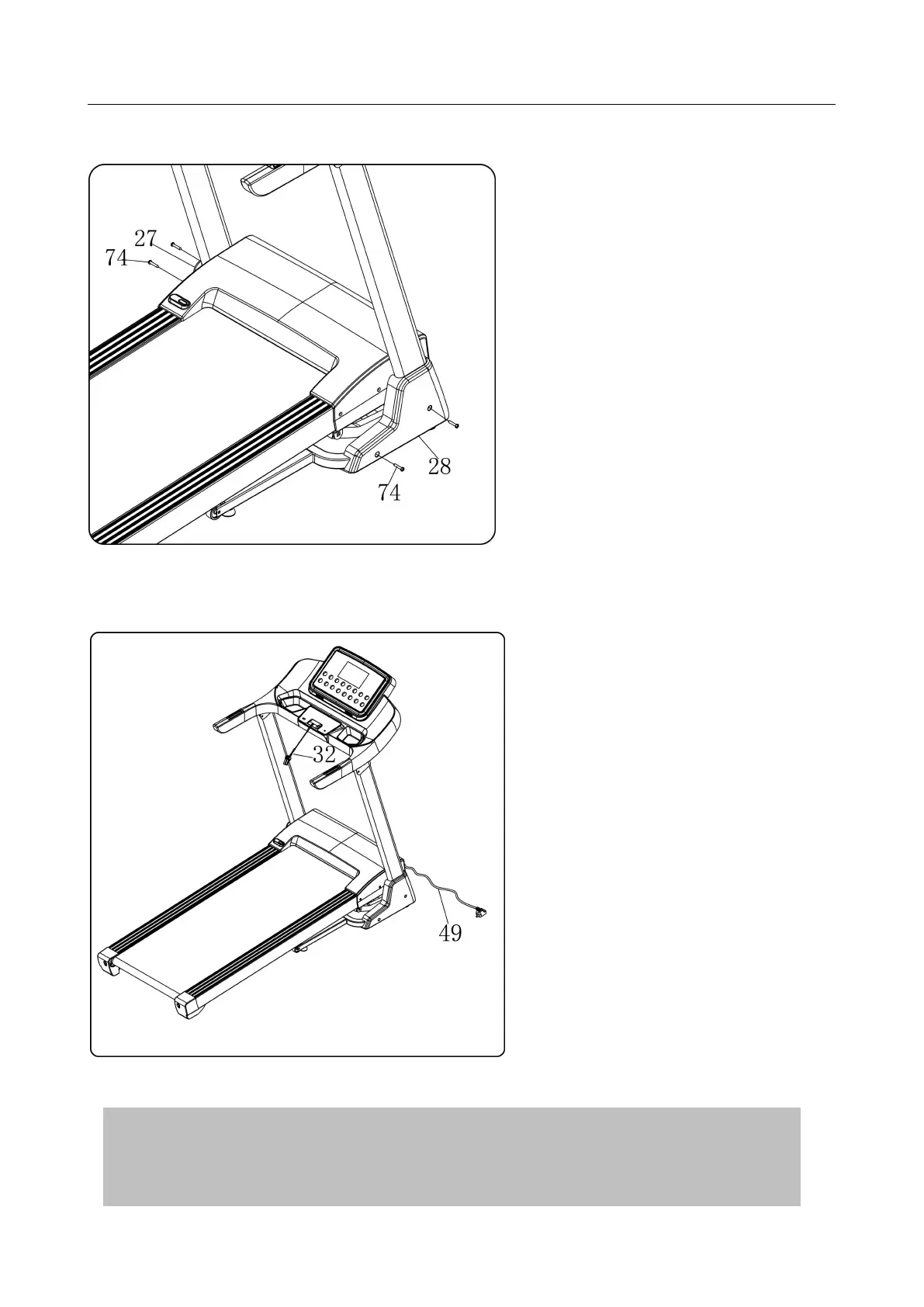
STEP 5:
STEP 6:
1. Put the safety key (32) on the
computer.
2. Plug the power wire(49) on
the socket on mainframe(when
you don’t use treadmill, you can
unplug the power wire.)
1. Use wrench with screw driver(12),
bolt(74) to lock the right base cover
(28)into the base frame.
2. Right side is same as the left side.
Note: The base cover needs to be
fastened to the upright.
ATTENTION
:
Please confirm complete assembly as the require above and
lock all the bolt. Do the following operation after checking everything is OK.
Before you use the treadmill, please read the instruction carefully.



 To Next Page