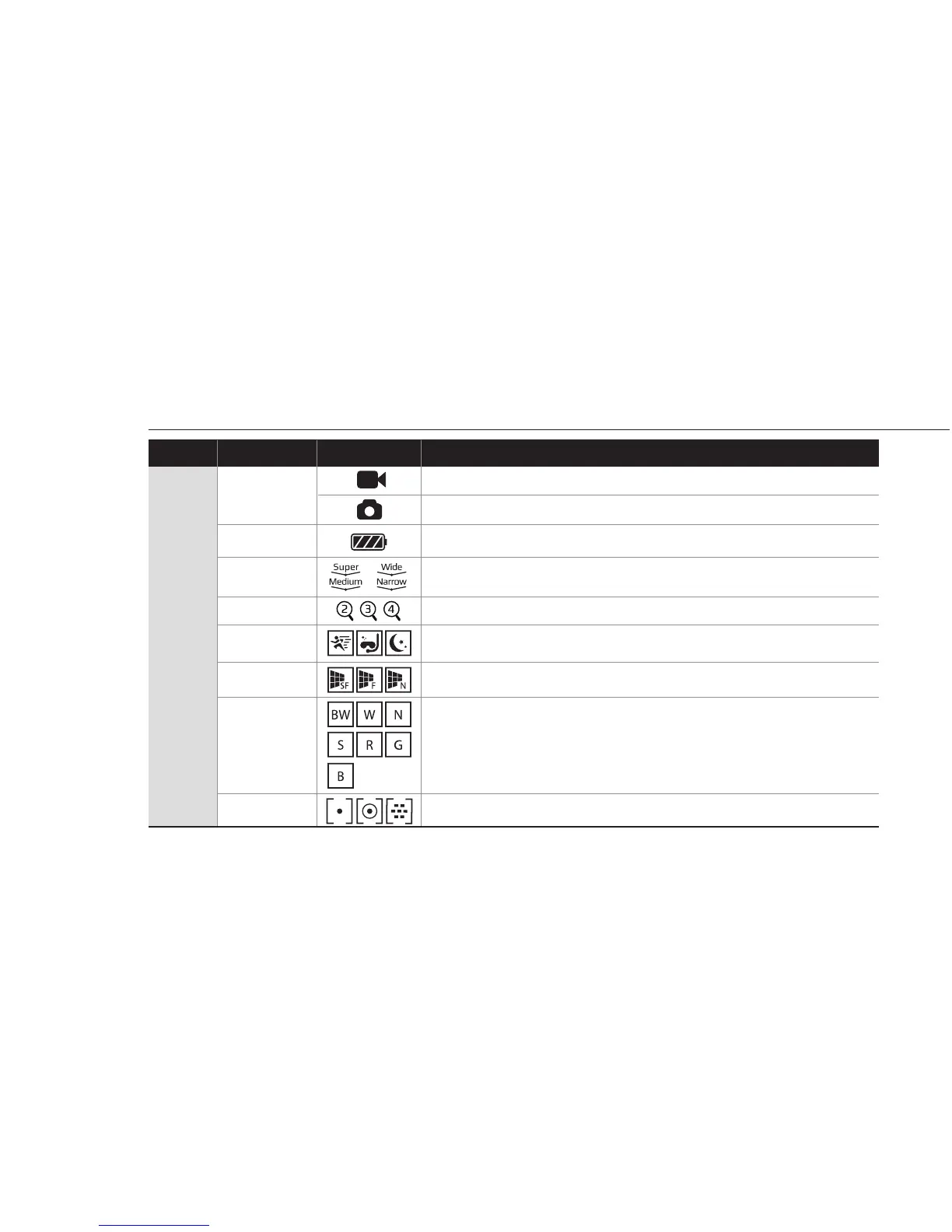
5. Graphical icon description
Video mode
Photo mode
Shows current zoom level (None / x2 / x3 / x4)
Shows current recording eect status (Sports / Aqua / Night)
Shows battery capacity status
Shows FOV setting status (Super wide / Wide / Medium / Narrow)
Current mode
Eect
Zoom
FOV
Battery
Function IconsMode Description
Live
screen
Shows current recording image quality status (Super Fine / Fine / Normal)
Shows current recording lter status.
(O / Black&White / Warm / Negative / Sepia / Red / Green / Blue)
Shows current recording AE meter status (Spot / Center / Average)
Image quality
Filter
AE Meters
5



 To Next Page