8
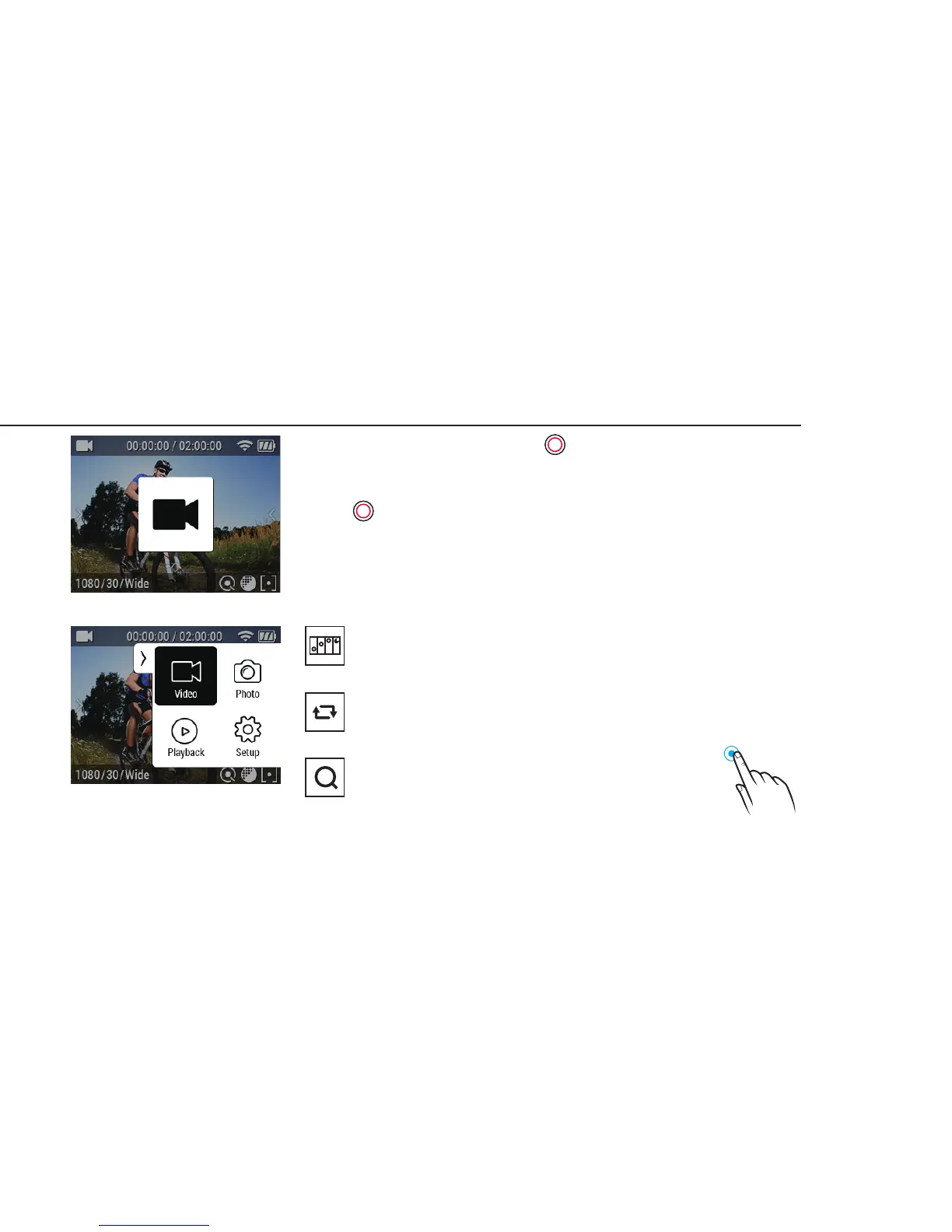
1. After the camera is turned on, Press( ) button to start video recording.
2. When the camera starts to record, LED light blinks* and shows recording
time on the screen.
3. Press( ) button to stop recording.
4. You can adjust video settings in “Video Setup”.
* If LED OFF option is selected in General setup, LED light will not blink.
Screen shot of using button
Screen shot of using touch screen
7. Video mode
Time Lapse-video
Captures images in set intervals and creates a Time lapse video le.
(0.5 SEC/1 SEC/3 SEC/5 SEC/10 SEC/30 SEC/60 SEC)
Looping
Continuously records a video until you stop.
** Maximum video le capacity is 4GB. If the le size is over the looping space, the camera will
overwrite current recording le.
Zoom
Double-tap shortly on live screen, zoom function will appear.
After 3sec the zoom menu automatically disappear and save value
during recording. (x1/x2/x3/x4)
Double-Tap


 To Next Page