1/34
00:16
1
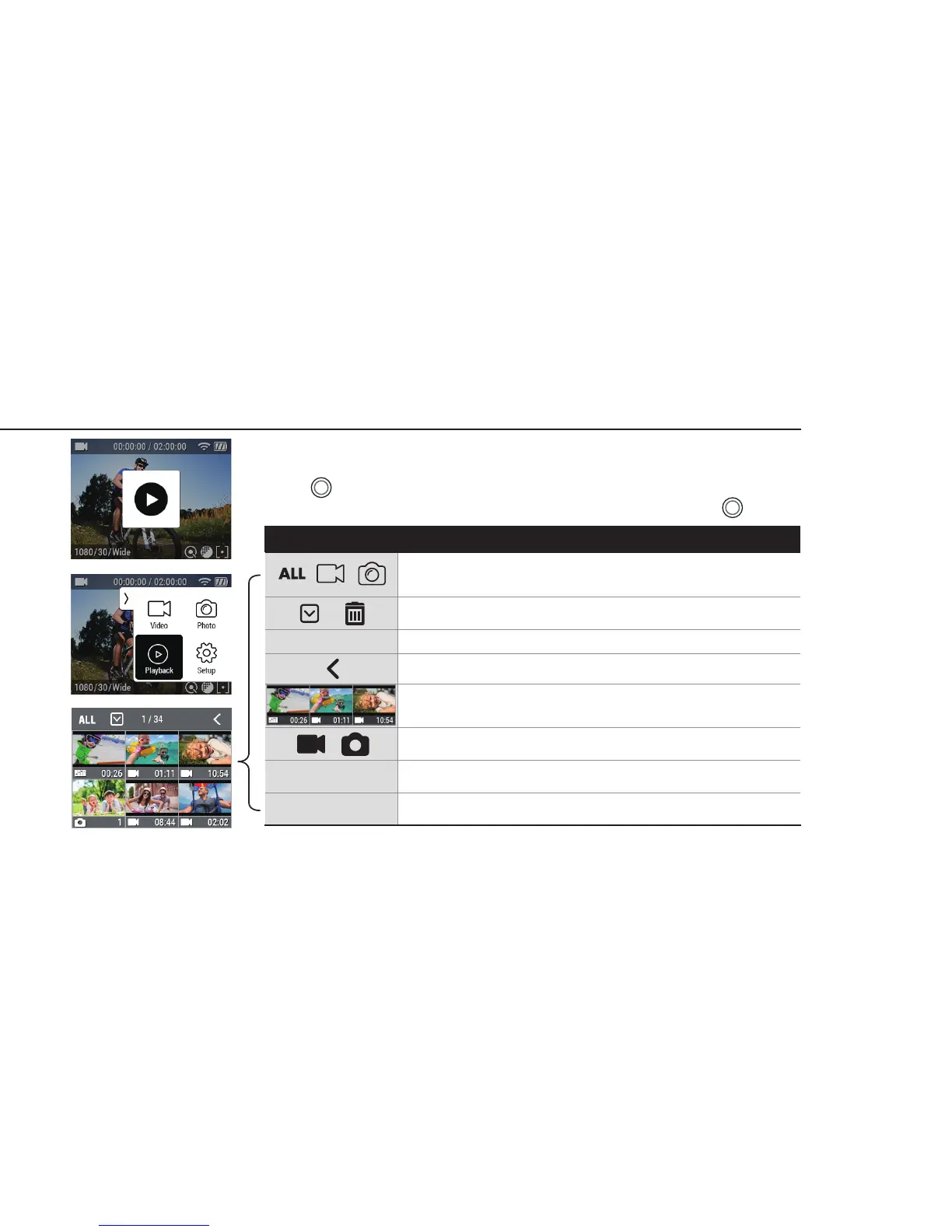
Sorting function provides 3 options :
All (both video & photo), Video and Photo
Select to delete a le. Multiple les can be deleted at once.
File IDX number or Selected le quantity / Total le quantity
Back button
Thumbnail image
File type
Recording Time(For video le) or Picture quantity(For photo le)
Swipe left or right to go into next page.
9. Playback mode
Please change the mode into Playback mode.
User can view recorded video or photo on the screen.
Press ( ) button to select control panel on top menu.
While the le is playing, you can call the play control panel by pressing ( ) button.
Icon Description
12


 To Next Page