19
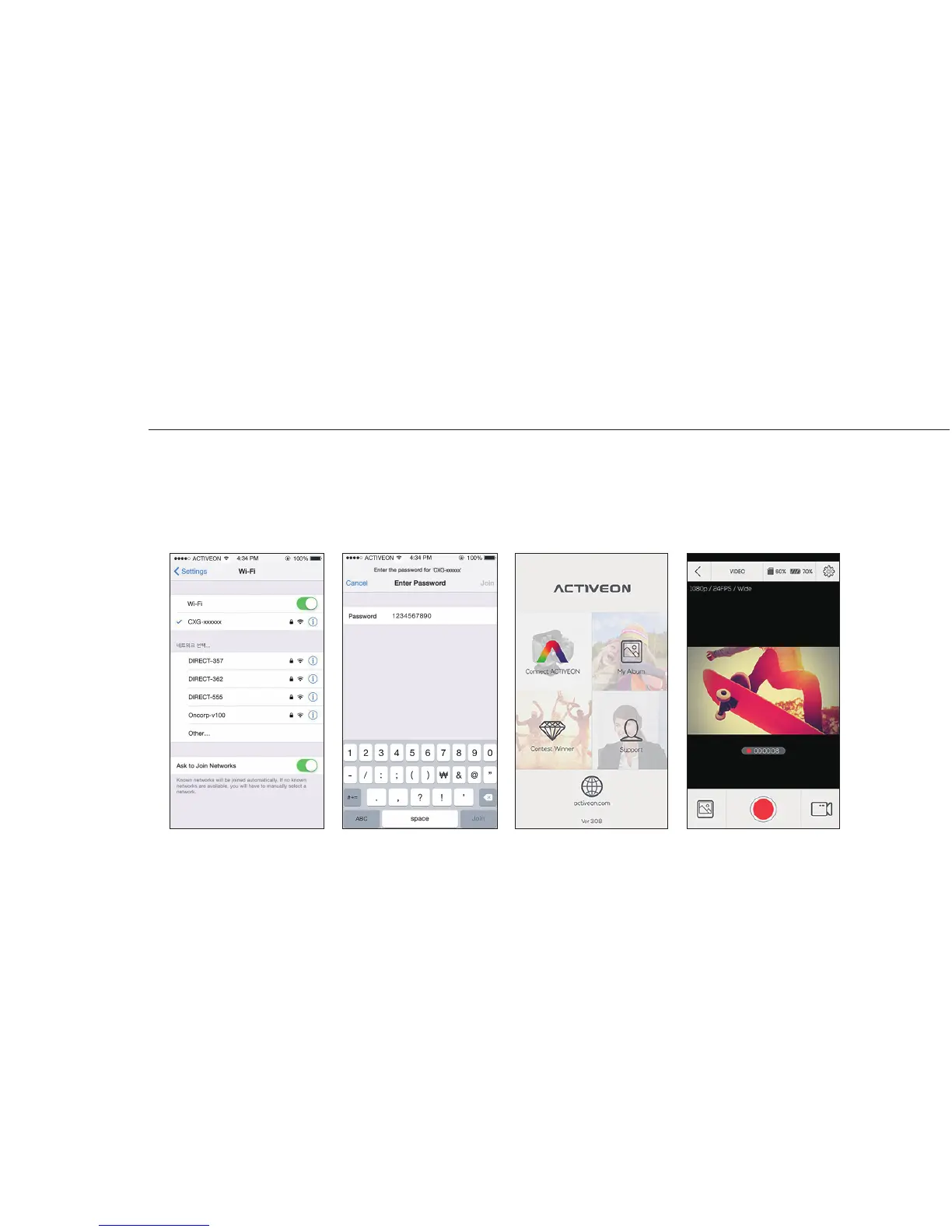
14. Connect ACTIVEON CX GOLD to smartphone(using ACTIVEON App)
●
On your smartphone or tablet, turn the WiFi on and select the network CXG-xxxxxx under WiFi setting.
●
Default password is ‘1234567890’.
●
Run 'ACTIVEON' app on your smartphone or tablet.
●
Press ’Connect ACTIVEON’ on the app. You can now control your ACTIVEON camera.
On your Smartphone


 To Next Page