3
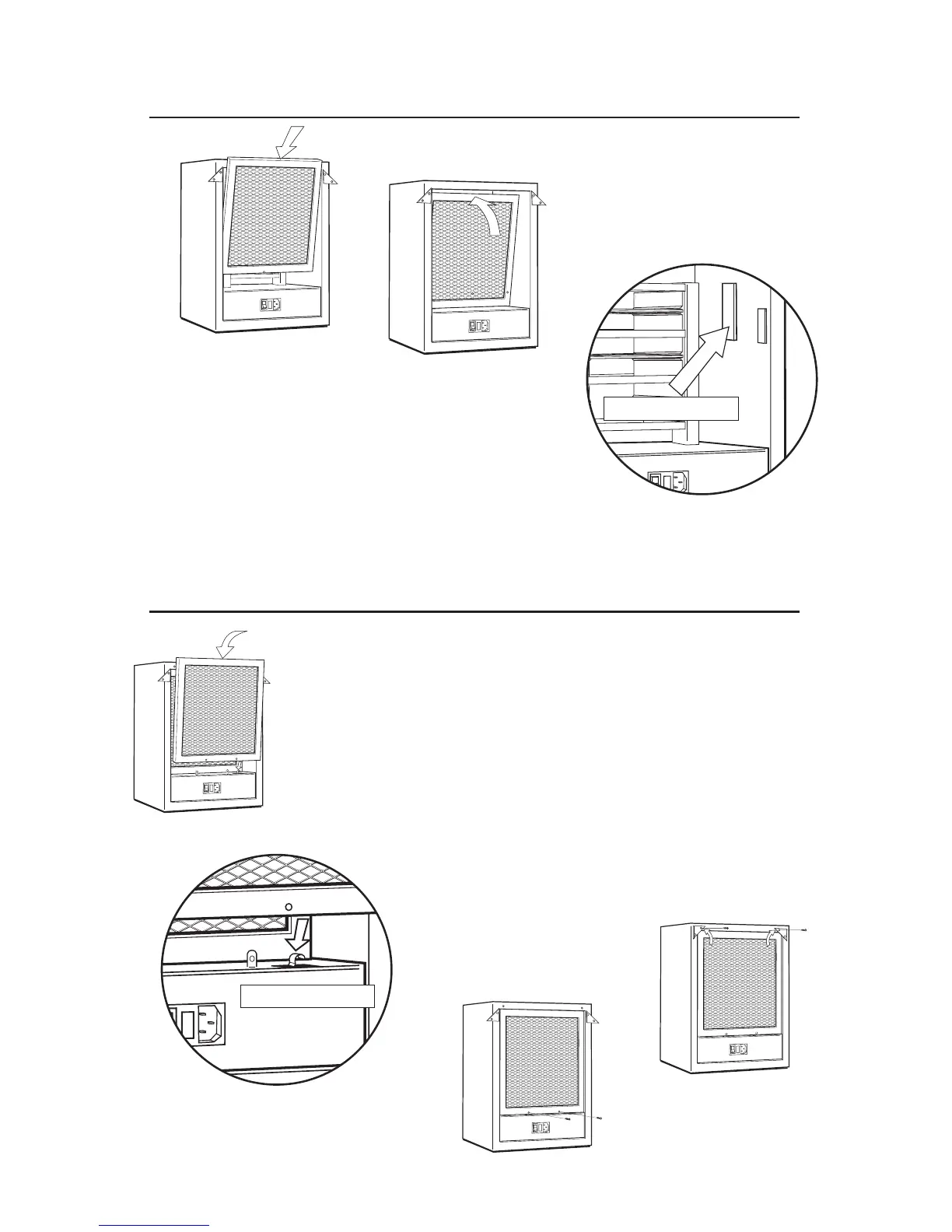
3. Insert 2 screws at bottom of lint screen
(do not overtighten screws).
8
CARBON FILTER INSTALLATION
LINT SCREEN INSTALLATION
1
1. Always install carbon filter bottom
first.
2
2. Once the bottom of the filter is in place,
insert the top of the filter into the case.
3
3. When properly
installed, the carbon
filter fits against the internal
stops located on the left and right insides of the case.
Carbon filter stop
1
1. Always install lint screen bottom first.
Safety Switch
4
4. Fit top of lint screen into cabinet,
rotate 2 corner brackets and secure
with screws.
2
2. The bottom of the lint screen should
depress the safety switch arm towards
the bottom of unit.


 To Next Page