Installation Guide Easyconnect App
Installation Guide - Easyconnect App
Document: 9590-4008 Ver. 6 230501
5
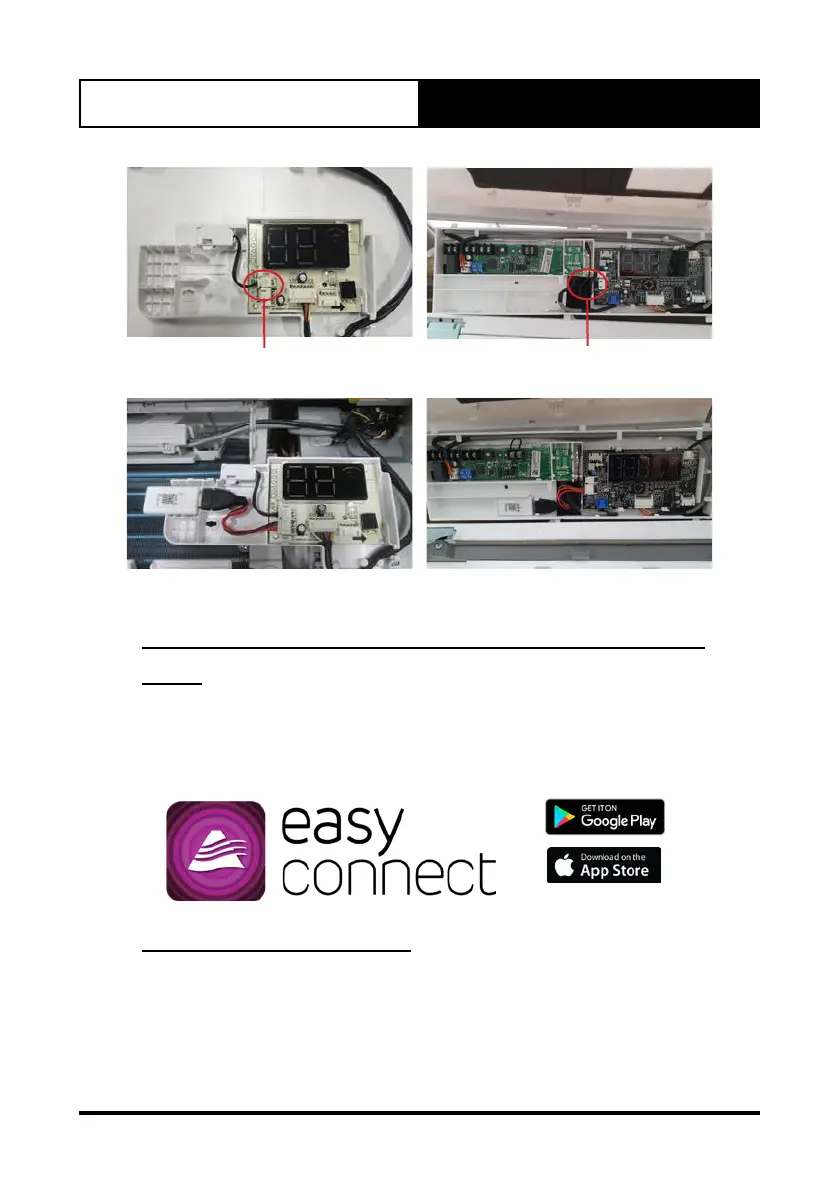
Serene Serene 2
Install the Wi-Fi USB cable
into CN03 if required.
Install the Wi-Fi USB cable
into CN03 if required.
Serene Serene 2
Ensure that the Easyconnect Module is secured into the receiver panel.
3. Close the panel and reset power to the Air conditioner.
03. Download and Install the Easyconnect
App
Search Easyconnect on your compatible mobile phone, tap download and
then open the app to create a new account.
(Refer to Section 04, for new account setup)
04. Create an Account
● Please ensure that you have a secure and operational internet
connection readily available for the creation of your account and
system setup.
● You will also require an active e-mail address which will be used as
your username when creating an account, logging into and using the
Easyconnect app.



 To Next Page