uuAudio System Basic OperationuPlaying a CD
198
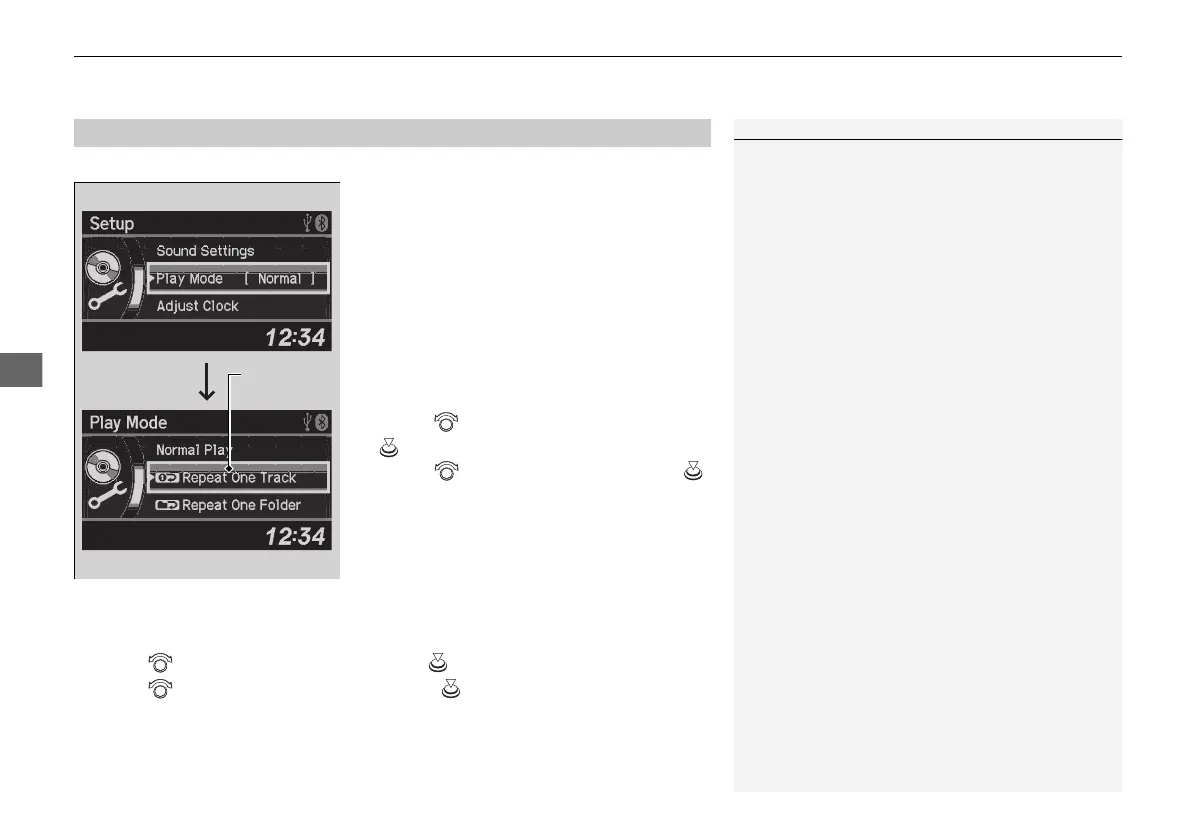
You can select repeat and random modes when playing a track or file.
1. Press the SETUP button.
2. Rotate to select Play Mode, then press
.
3. Rotate to select a mode, then press .
■
To turn off a play mode
1. Press the SETUP button.
2. Rotate to select Play Mode, then press .
3. Rotate to select Normal Play, then press .
■
How to Select a Play Mode
1How to Select a Play Mode
Press the BACK button to go back to the previous
display, and press the SETUP button to cancel this
setting mode.
Play Mode Menu Items
Normal Play
Repeat One Track: Repeats the current track/file(s).
Repeat One Folder (MP3/WMA/AAC): Repeats all
files in the current folder.
Random in Folder (MP3/WMA/AAC): Plays all files
in the current folder in random order.
Random All: Plays all tracks/files in random order.
21 ACURA ILX-31TX66800.book 198 ページ 2020年8月4日 火曜日 午後7時33分



 To Next Page