6 7
OPERATION
Using the Monitor
The Monitor features built-in temperature and humidity sensors, to view current
conditions in the location where the Monitor is placed.
Expand the System
The Monitor can be expanded to track additional conditions using compatible
wired sensors (optional; sold separately) that simply plug into the Monitor.
Wired sensors feature an extra-long cord, perfect for installing the sensors in
hard-to-reach places.
Compatible digital displays, wired sensors and companion units are
available at:
www.AcuRite.com
Troubleshooting
Problem Possible Solution
Inaccurate
temperature or
humidity
• Verify the Monitor is placed away from any heat
sources or vents (see page 5).
• Verify the Monitor is positioned away from moisture
sources (see page 5).
If your AcuRite product does not operate properly after trying
the troubleshooting steps, visit www.AcuRite.com or call
(877) 221-1252 for assistance.
Basic Setup is Complete
The Monitor is now ready for use, and may be synchronized with a companion
unit.
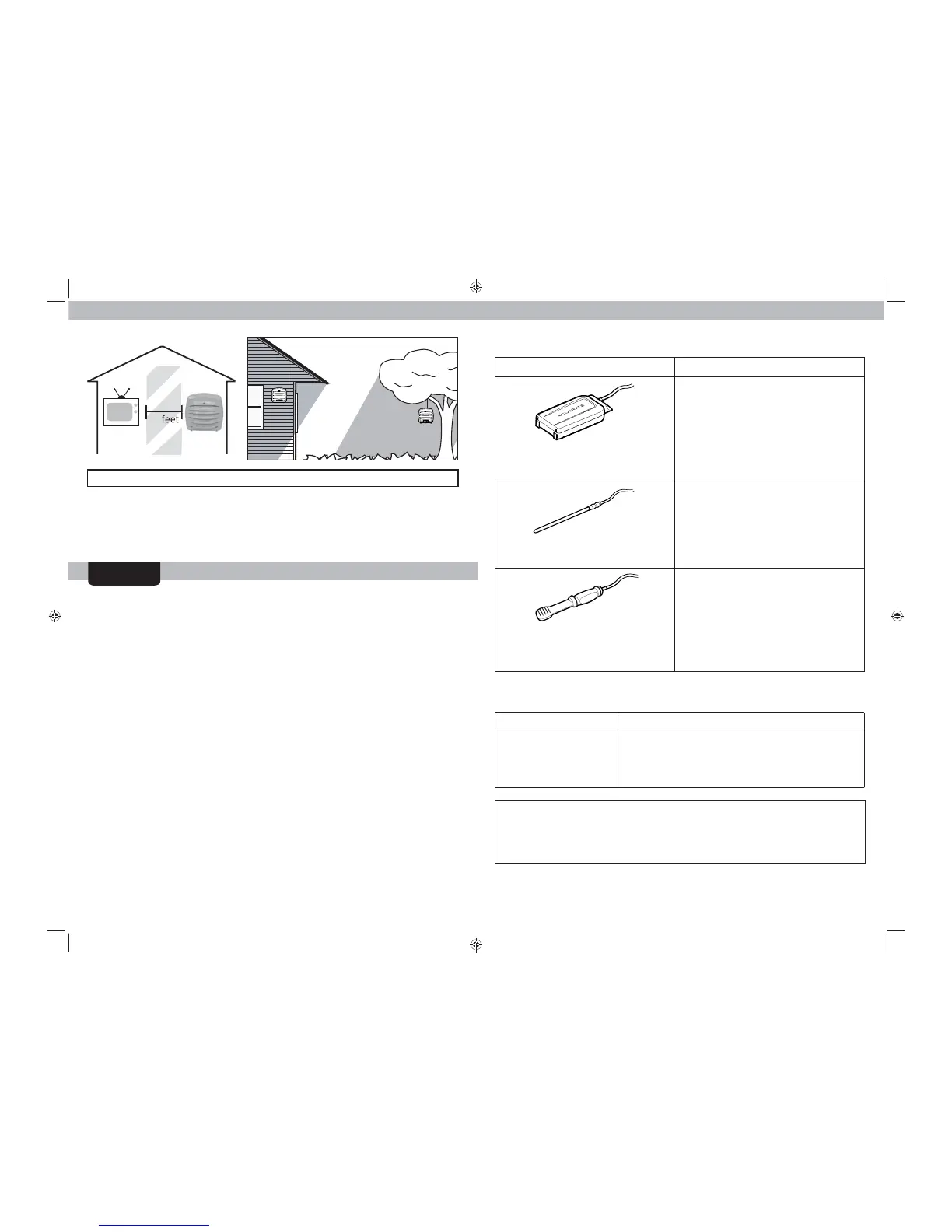
TV
3
(90 cm)
AT
LEAST
APART
For more information, visit our Knowledge Base at http://www.AcuRite.com/kbase
Add-on Wired Sensors
Add-On Sensor Perfect for:
Water Detector
with audible alert
Model 06010RM
• Basement Üooding
• Roof leaks
• Leaky appliances
• Sump pump failure
• Tracking high or low water level
• Pool, spa, pond or fountain
temperature
• Preventing frozen pipes
• Seeding, potting and gardening
Spot Check Temperature & Humidity
Sensor
Model 06012RM
• Monitoring conditions in hard to
reach places (attic, basement, etc.)
• Pet areas
• Evaluating HVAC coverage in your
home
• Monitoring conditions in nursery or
childs room
Liquid & Soil Temperature Sensor
Model 06011RM



 To Next Page