Set Barometric Pressure Adjustment
By default, PC Connect transmits Station Pressure, the exact pressure measurement taken by the Indoor Display
internal barometer, which does not include any adjustment for altitude. If pressure is manually adjusted in the PC
Connect software, these pressure adjustments are shared with My AcuRite, Weather Underground, and the Data
Transfer CSV files.
TIP
If you don’t know your current Adjusted Pressure, as long as your Weather Station display has completed the
learning mode, you can enter in the PC Connect software the same adjusted reading as shown on your Weather
Station display.
How to set a barometric pressure adjustment
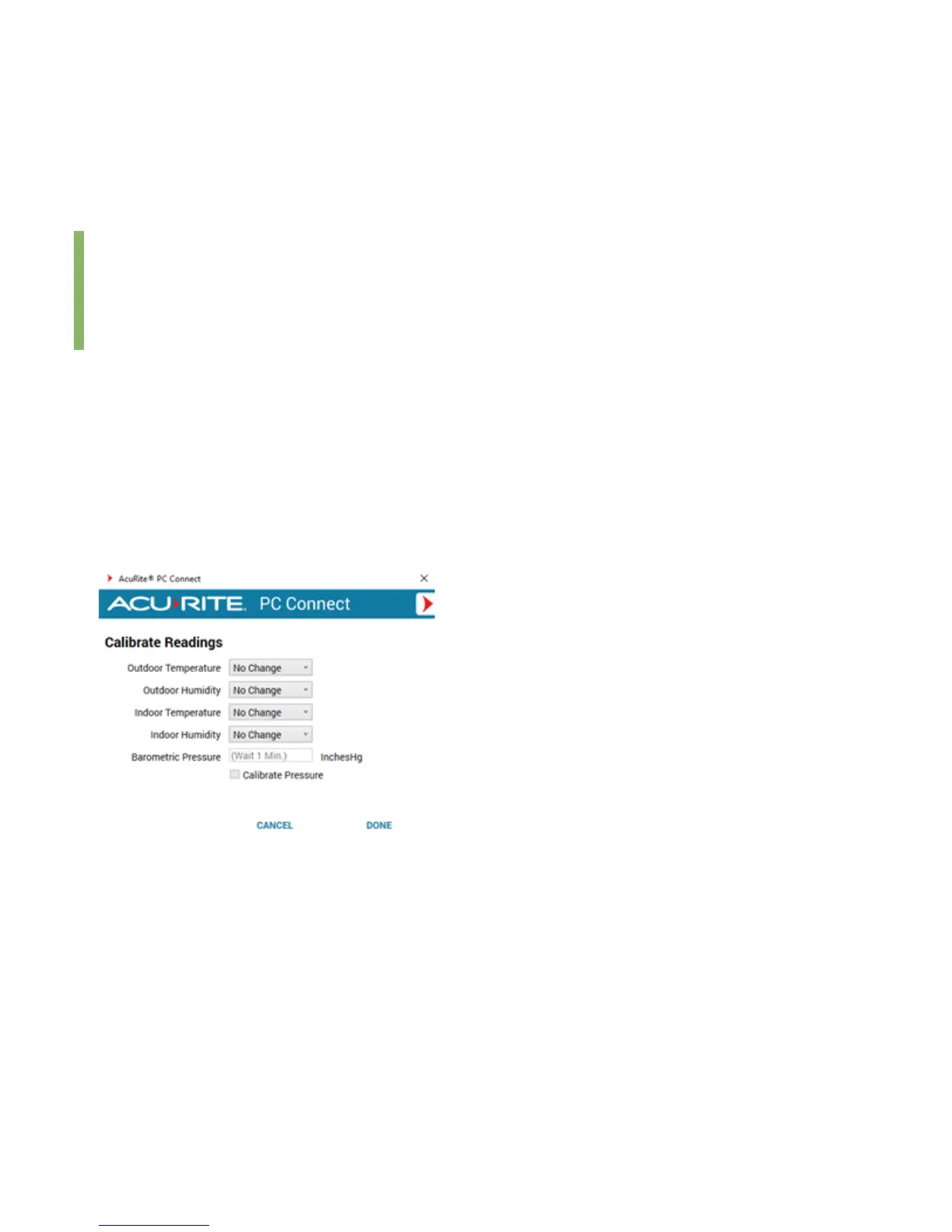
1. From the Preferences section, select Calibrate Readings (+/-).
2. From the Barometric Pressure setting, set a pressure adjustment in InchesHg. Pressure can be adjusted up to ±10
inHg (338.6 hpa).
3. Select the check box Calibrate Pressure.
4. Select DONE to save your changes.


 To Next Page